
Introduction
Enterprise Resource Planning (ERP) systems are among the most important technologies used by modern businesses. They integrate core business processes such as finance, accounting, procurement, inventory management, manufacturing, human resources, customer relationship management, and supply chain operations into a unified platform.
Because ERP systems support mission-critical business activities, even minor technical issues can lead to significant operational disruptions. Slow performance, integration failures, reporting errors, login problems, and data inconsistencies can impact productivity, customer satisfaction, and revenue.
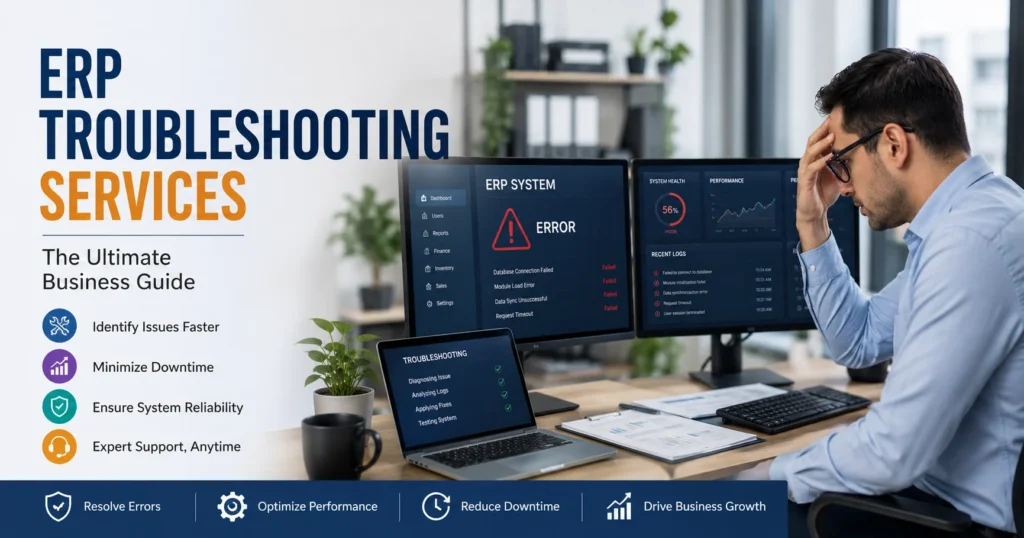
This is why ERP Troubleshooting Services are essential. These specialized services help organizations identify the root causes of ERP issues, restore system functionality, minimize downtime, and improve overall system performance.
Whether your business uses SAP, Oracle ERP, Microsoft Dynamics, NetSuite, Odoo, Sage, Infor, Acumatica, or another ERP platform, effective troubleshooting ensures your ERP environment remains reliable, secure, and efficient.
This comprehensive guide explores ERP Troubleshooting Services, common ERP challenges, troubleshooting methodologies, benefits, best practices, and how expert support can help organizations maximize ERP performance.
What Are ERP Troubleshooting Services?
ERP Troubleshooting Services are professional support services focused on diagnosing, analyzing, and resolving issues within ERP systems.
These services address a wide variety of problems, including:
- System crashes
- Performance bottlenecks
- Database errors
- Integration failures
- Login and authentication issues
- Data synchronization problems
- Reporting inaccuracies
- Workflow disruptions
- Security vulnerabilities
- Customization conflicts
The goal is to quickly identify the root cause of a problem and implement effective solutions that minimize business disruption.
Why ERP Troubleshooting Is Important
ERP systems often serve as the central hub for business operations. When issues occur, multiple departments can be affected simultaneously.
Professional troubleshooting provides several advantages.
Reduced Downtime
Every minute of ERP downtime can impact productivity and profitability.
Troubleshooting experts:
- Identify issues quickly
- Restore services efficiently
- Prevent extended disruptions
Improved Business Continuity
Reliable ERP operations support:
- Order processing
- Financial transactions
- Inventory management
- Customer service
Troubleshooting ensures critical business functions remain operational.
Enhanced User Productivity
Employees depend on ERP systems to complete daily tasks.
Fast issue resolution reduces frustration and increases efficiency.
Better System Performance
Troubleshooting often reveals opportunities for optimization and performance improvements.
Common ERP Problems Businesses Experience
ERP environments can encounter a variety of technical and operational issues.
ERP Login and Authentication Issues
User access problems are among the most common ERP support requests.
Examples include:
- Forgotten passwords
- Single sign-on failures
- Multi-factor authentication issues
- Account lockouts
- Permission conflicts
These problems can prevent employees from performing critical tasks.
ERP Performance Problems
Slow ERP performance can negatively impact productivity.
Common symptoms include:
- Delayed page loading
- Slow report generation
- Lagging transactions
- Timeouts
- Poor application responsiveness
Potential causes include:
- Large databases
- Server limitations
- Poor configurations
- Excessive customizations
Database Errors
ERP systems rely heavily on databases.
Common database issues include:
- Corrupted records
- Missing data
- Indexing problems
- Query failures
- Storage limitations
Troubleshooting database issues is critical for maintaining system stability.
Data Synchronization Problems
Modern ERP systems often integrate with multiple applications.
Examples include:
- CRM platforms
- Payroll software
- E-commerce systems
- Shipping providers
- Business intelligence tools
Synchronization failures can lead to:
- Duplicate records
- Missing information
- Reporting inaccuracies
Reporting and Analytics Errors
Accurate reporting is essential for business decision-making.
Common reporting problems include:
- Missing data
- Incorrect calculations
- Dashboard inaccuracies
- Data refresh failures
Troubleshooting ensures business leaders receive reliable information.
Workflow and Automation Failures
ERP automation improves efficiency but can sometimes malfunction.
Issues may involve:
- Approval processes
- Notifications
- Scheduled jobs
- Automated transactions
Support specialists identify and resolve workflow disruptions.
ERP Integration Issues
Integrations connect ERP systems with other business applications.
Common problems include:
- API failures
- Authentication errors
- Data mapping issues
- Version incompatibility
Integration troubleshooting restores seamless data flow.
Security and Access Issues
Security concerns can impact business operations and compliance.
Common issues include:
- Unauthorized access
- Permission conflicts
- Security misconfigurations
- Compliance violations
Troubleshooting helps strengthen ERP security.
ERP Troubleshooting Methodology
Effective troubleshooting follows a structured process.
Step 1: Issue Identification
The first step involves understanding:
- Symptoms
- Error messages
- User reports
- Business impact
Accurate issue identification accelerates resolution.
Step 2: Root Cause Analysis
Support professionals investigate:
- System logs
- Application behavior
- Configuration settings
- Database activity
The objective is to identify the underlying cause rather than treating symptoms.
Step 3: Problem Reproduction
Replicating issues in a controlled environment helps confirm findings.
Benefits include:
- Accurate diagnosis
- Reduced risk
- Effective testing
Step 4: Solution Development
Experts create corrective actions based on identified causes.
Solutions may involve:
- Configuration changes
- Code modifications
- Database repairs
- Infrastructure upgrades
Step 5: Testing and Validation
Before deployment, fixes are tested to ensure:
- Problems are resolved
- No new issues are introduced
- Business processes remain functional
Step 6: Documentation
Documenting incidents supports:
- Future troubleshooting
- Knowledge sharing
- Compliance requirements
ERP Performance Troubleshooting
Performance issues are among the most frequent ERP complaints.
Identifying Bottlenecks
Potential bottlenecks include:
- CPU utilization
- Memory consumption
- Database queries
- Network latency
Database Optimization
Troubleshooting may involve:
- Query tuning
- Index management
- Data archiving
- Database cleanup
Infrastructure Analysis
Support teams evaluate:
- Servers
- Cloud resources
- Storage systems
- Network configurations
Application Optimization
Experts review:
- Workflows
- Customizations
- Business logic
- Third-party extensions
ERP Database Troubleshooting
Databases are the foundation of ERP operations.
Common Database Issues
Examples include:
- Corrupted tables
- Locking conflicts
- Slow queries
- Data inconsistencies
Database Health Checks
Regular assessments identify:
- Capacity concerns
- Fragmentation
- Performance issues
Recovery Procedures
Support teams restore data using:
- Backups
- Transaction logs
- Recovery tools
ERP Integration Troubleshooting
Integrated environments require continuous monitoring.
API Diagnostics
Troubleshooting focuses on:
- Authentication
- Connectivity
- Data formatting
- Rate limits
Data Mapping Reviews
Incorrect mappings often cause synchronization failures.
Experts verify:
- Field relationships
- Transformation logic
- Validation rules
Compatibility Analysis
Software updates may create compatibility conflicts.
Support teams ensure all connected systems remain aligned.
ERP Customization Troubleshooting
Many businesses customize ERP systems extensively.
Custom Module Issues
Problems may include:
- Coding errors
- Logic conflicts
- Upgrade incompatibilities
Workflow Troubleshooting
Custom workflows require:
- Logic validation
- Permission reviews
- Process testing
Third-Party Extension Support
External plugins and add-ons often introduce unique challenges.
ERP Security Troubleshooting
Security issues require immediate attention.
Access Control Problems
Examples include:
- Permission conflicts
- Role misconfigurations
- Unauthorized access attempts
Authentication Failures
Support specialists investigate:
- Identity provider issues
- MFA failures
- Credential problems
Compliance Concerns
Troubleshooting helps maintain compliance with industry regulations.
Cloud ERP Troubleshooting
Cloud ERP platforms introduce unique troubleshooting requirements.
Connectivity Issues
Businesses may experience:
- Internet disruptions
- API communication failures
- Cloud service interruptions
Resource Utilization Problems
Cloud troubleshooting focuses on:
- CPU usage
- Storage consumption
- Memory allocation
Multi-Tenant Challenges
Shared environments may occasionally affect performance.
On-Premises ERP Troubleshooting
Organizations running on-premises ERP systems face additional challenges.
Hardware Failures
Issues may involve:
- Servers
- Storage devices
- Network equipment
Operating System Problems
ERP performance can be affected by:
- OS updates
- Configuration errors
- Security settings
Infrastructure Maintenance
Troubleshooting often extends beyond the ERP application itself.
Benefits of Professional ERP Troubleshooting Services
Businesses gain significant advantages from expert support.
Faster Resolution Times
Experienced specialists quickly identify root causes.
Reduced Downtime
Rapid issue resolution minimizes operational disruptions.
Improved System Reliability
Recurring problems can be permanently addressed.
Better User Satisfaction
Employees benefit from stable and responsive systems.
Enhanced Security
Troubleshooting often uncovers hidden vulnerabilities.
Industries That Rely on ERP Troubleshooting Services
Virtually every industry benefits from ERP support.
Manufacturing
Troubleshooting supports:
- Production planning
- Inventory management
- Supply chain operations
Retail
Retail businesses depend on:
- Point-of-sale integrations
- Inventory tracking
- Order processing
Healthcare
ERP systems support:
- Resource planning
- Financial management
- Compliance requirements
Logistics
Troubleshooting ensures:
- Warehouse efficiency
- Transportation management
- Order fulfillment
Financial Services
Support teams help maintain:
- Transaction accuracy
- Regulatory compliance
- Reporting integrity
Best Practices for ERP Troubleshooting
Organizations can reduce ERP issues through proactive management.
Monitor Systems Continuously
Early detection prevents major disruptions.
Maintain Detailed Documentation
Document:
- Configurations
- Customizations
- Incident histories
Implement Regular Updates
Keep software current to reduce bugs and vulnerabilities.
Conduct Routine Testing
Testing helps identify issues before users are affected.
Train Users Properly
Knowledgeable users generate fewer support incidents.
Establish Incident Response Procedures
Clear processes improve troubleshooting efficiency.
Signs Your Business Needs ERP Troubleshooting Services
Consider professional assistance if you experience:
- Frequent system errors
- Slow performance
- Integration failures
- Security concerns
- Data inconsistencies
- Reporting inaccuracies
- Unexpected downtime
- User complaints
Ignoring these issues can increase operational risks.
Choosing the Right ERP Troubleshooting Partner
Selecting the right support provider is essential.
Consider:
Technical Expertise
Ensure experience with your ERP platform.
Industry Experience
Industry-specific knowledge improves problem-solving effectiveness.
Response Time Commitments
Review service-level agreements carefully.
Proactive Support Capabilities
Choose providers that focus on prevention as well as resolution.
Scalability
Support services should accommodate future growth.
Future Trends in ERP Troubleshooting
ERP troubleshooting continues evolving alongside technology.
Artificial Intelligence
AI-powered diagnostics improve root cause analysis and issue prediction.
Predictive Monitoring
Advanced monitoring tools identify potential problems before they affect operations.
Automation
Automated troubleshooting reduces resolution times.
Advanced Analytics
Data-driven insights improve support decision-making.
Cloud-Native Support
As cloud ERP adoption grows, specialized cloud troubleshooting expertise becomes increasingly important.
Conclusion
ERP systems are essential for managing modern business operations, but they are not immune to technical challenges. Performance issues, database errors, integration failures, security concerns, workflow disruptions, and reporting inaccuracies can significantly impact productivity and profitability.
ERP Troubleshooting Services provide organizations with the expertise needed to identify root causes, resolve issues quickly, minimize downtime, and optimize overall system performance. Through structured diagnostics, proactive monitoring, security management, and continuous improvement, professional troubleshooting services help businesses maintain reliable and efficient ERP environments.
Whether your organization uses SAP, Oracle ERP, Microsoft Dynamics, NetSuite, Odoo, Sage, Infor, or another ERP solution, investing in expert ERP troubleshooting support can improve system stability, enhance user satisfaction, strengthen security, and maximize the return on your ERP investment.
A proactive approach to ERP troubleshooting not only resolves current issues but also helps prevent future disruptions, ensuring long-term operational success and business growth.