
Introduction
Microsoft Exchange Online is the cloud-based email platform that powers Microsoft 365 messaging services for millions of businesses worldwide. It provides enterprise-grade email, calendaring, contacts, tasks, archiving, security, and compliance capabilities. Organizations depend on Exchange Online for critical business communication, making mailbox availability and data protection essential.
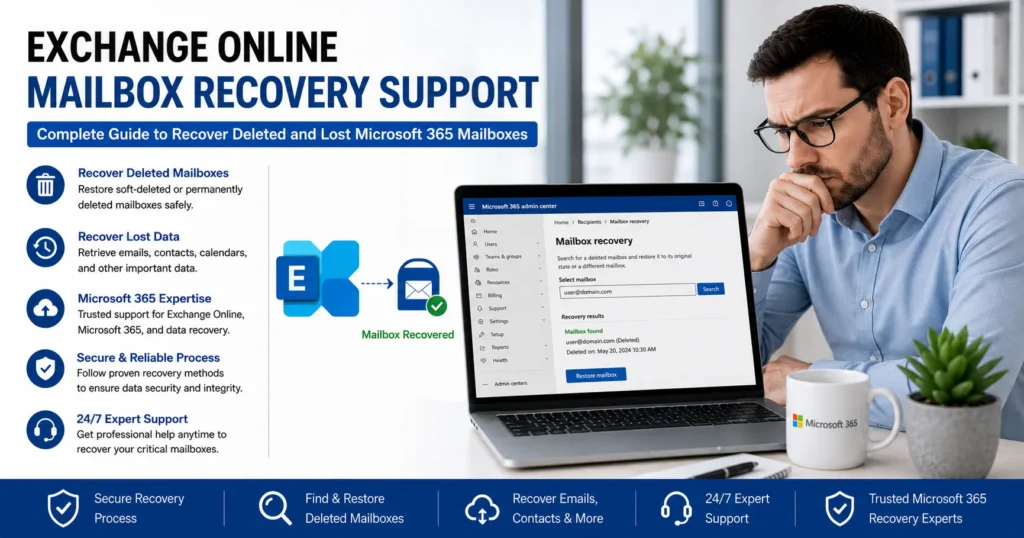
Despite Microsoft’s robust infrastructure, mailbox data can sometimes become inaccessible due to accidental deletion, user account removal, retention policy conflicts, synchronization issues, licensing changes, or administrative mistakes. When important emails, folders, calendars, contacts, or entire mailboxes disappear, businesses often require immediate Exchange Online mailbox recovery support to restore critical information and minimize operational disruption.
This comprehensive guide explains how Exchange Online mailbox recovery works, common mailbox loss scenarios, recovery options, administrative tools, and best practices for protecting mailbox data in Microsoft 365 environments.
What Is Exchange Online Mailbox Recovery?
Exchange Online mailbox recovery refers to the process of restoring mailbox data that has been:
- Deleted
- Corrupted
- Archived incorrectly
- Inaccessible due to licensing changes
- Removed through administrative actions
- Lost because of retention policy issues
Recovery can involve restoring:
- Entire mailboxes
- Individual emails
- Calendar items
- Contacts
- Tasks
- Shared mailboxes
- Archived mailbox data
The recovery approach depends on the nature and timing of the data loss.
Why Exchange Online Mailbox Recovery Is Important
Email often contains critical business information.
Examples include:
- Client communications
- Contracts
- Financial records
- Legal correspondence
- Project documentation
- Compliance records
Losing access to mailbox data can affect:
- Productivity
- Customer relationships
- Regulatory compliance
- Business continuity
Rapid recovery helps minimize operational risks.
Common Reasons Mailboxes Require Recovery
Several situations can result in mailbox loss or data inaccessibility.
1. Accidental Email Deletion
Users frequently delete emails unintentionally.
Examples include:
- Emptying Deleted Items
- Deleting important folders
- Bulk message removal
- Incorrect cleanup actions
Fortunately, Exchange Online includes multiple recovery mechanisms.
2. User Mailbox Deletion
Administrators may accidentally delete user accounts.
When this occurs:
- Exchange mailboxes become disconnected
- Access may be lost
- Recovery windows begin
Prompt action increases recovery success.
3. License Removal
Exchange Online mailboxes require valid licensing.
Removing licenses can cause:
- Mailbox deactivation
- Service interruption
- Access restrictions
In many cases, restoring the license restores mailbox access.
4. Retention Policy Misconfiguration
Retention policies help manage mailbox data.
Incorrect configurations may:
- Remove messages unexpectedly
- Delete folders
- Trigger automatic cleanup
Policy-related deletions often require administrative recovery.
5. Litigation Hold and Compliance Errors
Organizations using compliance features occasionally encounter:
- Retention conflicts
- Archive issues
- Preservation mistakes
Recovery may involve advanced compliance tools.
6. Mailbox Corruption
Although uncommon, mailbox corruption can occur due to:
- Synchronization failures
- Migration issues
- Third-party integrations
- Service disruptions
Corruption may affect accessibility and mailbox integrity.
7. Hybrid Exchange Environment Issues
Organizations operating hybrid deployments may experience:
- Synchronization failures
- Directory conflicts
- Mailbox mapping problems
These issues can make mailboxes appear missing.
Understanding Exchange Online Mailbox Types
Recovery procedures vary depending on mailbox type.
User Mailboxes
Standard mailboxes assigned to individual users.
These contain:
- Calendar
- Contacts
- Tasks
Shared Mailboxes
Shared mailboxes support team collaboration.
Examples include:
- Support departments
- Sales teams
- Customer service groups
Resource Mailboxes
Used for:
- Meeting rooms
- Equipment scheduling
- Resource management
Archive Mailboxes
Store older messages for compliance and retention purposes.
Archive mailbox recovery may follow different procedures.
Inactive Mailboxes
Inactive mailboxes remain preserved after user deletion under specific retention conditions.
These can often be recovered long after account removal.
How Exchange Online Protects Deleted Data
Microsoft includes multiple layers of mailbox protection.
Deleted Items Folder
First-stage deletion protection.
Users can restore accidentally deleted emails easily.
Recoverable Items Folder
Provides a second layer of protection.
Messages remain recoverable even after deletion from Deleted Items.
Single Item Recovery
Protects messages from permanent removal during retention periods.
Litigation Hold
Preserves mailbox content for legal and compliance purposes.
Deleted items remain recoverable.
Retention Policies
Help organizations manage data preservation requirements.
How to Recover Deleted Emails in Exchange Online
The simplest recovery scenario involves individual messages.
Step 1
Open Outlook or Outlook on the web.
Step 2
Navigate to Deleted Items.
Step 3
Locate the deleted message.
Step 4
Restore the email to its original folder.
This process resolves many accidental deletion cases.
Recover Emails from Recoverable Items
If emails have already been removed from Deleted Items:
Steps
- Open Outlook.
- Access Recover Deleted Items.
- Search for missing messages.
- Select emails.
- Restore selected items.
Exchange Online often retains deleted messages for recovery.
Recover an Entire Deleted Mailbox
Mailbox recovery becomes more complex when user accounts are removed.
Common Scenario
An administrator deletes:
- User account
- License assignment
- Mailbox association
If action is taken quickly, recovery is often possible.
Mailbox Soft Deletion vs Hard Deletion
Understanding deletion types is important.
Soft-Deleted Mailboxes
Remain recoverable during the retention period.
Recovery success rates are typically high.
Hard-Deleted Mailboxes
Removed permanently after retention windows expire.
Recovery becomes significantly more difficult.
Recover a Soft-Deleted Exchange Online Mailbox
Recovery generally involves:
- Restoring the user account.
- Reassigning licenses.
- Reconnecting mailbox services.
Mailbox access is often restored automatically.
Recover an Inactive Mailbox
Inactive mailboxes are designed for long-term preservation.
They are commonly used for:
- Compliance
- Legal requirements
- Employee departures
Recovery options remain available even after account deletion.
Exchange Online Archive Mailbox Recovery
Archive mailboxes contain historical data.
Recovery may involve:
- Archive restoration
- Search tools
- Compliance features
Archived messages often remain accessible even when primary mailbox data changes.
Recover Mailbox Data Using Microsoft Purview
Organizations using compliance features can leverage advanced recovery capabilities.
Benefits include:
- Content search
- Legal holds
- Retention management
- Data preservation
Purview tools are particularly valuable for large-scale recoveries.
Exchange Online Mailbox Recovery After License Removal
Removing an Exchange Online license may trigger mailbox deactivation.
Recovery Process
- Reassign the license.
- Allow synchronization.
- Verify mailbox accessibility.
Many mailbox issues resolve quickly after license restoration.
Recover Mailbox Data After Employee Termination
Organizations frequently need access to former employee mailboxes.
Common requirements include:
- Project continuity
- Legal preservation
- Knowledge transfer
Options include:
- Shared mailbox conversion
- Inactive mailbox retention
- Administrative access
Recover Shared Mailboxes
Shared mailboxes may become inaccessible due to:
- Permission changes
- Deletion
- Licensing issues
Recovery generally focuses on restoring:
- Mailbox permissions
- Accessibility
- Data integrity
Exchange Online Mailbox Recovery After Migration
Migration projects occasionally introduce mailbox problems.
Examples include:
- Missing folders
- Missing messages
- Synchronization delays
Recovery efforts may involve:
- Resynchronization
- Migration validation
- Mailbox repair
Recover Calendar Items and Contacts
Mailbox recovery is not limited to email.
Administrators can often recover:
- Appointments
- Meetings
- Contacts
- Tasks
These items are frequently stored within mailbox recovery structures.
Common Exchange Online Recovery Errors
Administrators may encounter:
Mailbox Not Found
Often caused by synchronization delays or account deletion.
Access Denied
Permission issues frequently trigger this error.
License Required
Occurs when Exchange licensing is missing.
Recovery Window Expired
Recovery becomes difficult after retention periods end.
How Administrators Can Troubleshoot Mailbox Recovery Issues
Effective troubleshooting includes reviewing:
User Status
Verify:
- Account existence
- Licensing
- Authentication
Mailbox State
Determine whether the mailbox is:
- Active
- Soft-deleted
- Inactive
- Hard-deleted
Retention Policies
Review organizational preservation settings.
Service Health
Check Microsoft 365 service status for ongoing incidents.
Exchange Online Recovery Best Practices
Organizations should implement preventive measures.
Enable Retention Policies
Proper retention reduces accidental data loss.
Use Litigation Hold
Critical mailboxes should be protected through preservation policies.
Maintain License Management
Avoid accidental mailbox deactivation.
Implement Backup Strategies
Although Microsoft provides recovery options, additional backup solutions can improve protection.
Monitor Administrative Changes
Track:
- User deletions
- License removals
- Permission changes
Early detection improves recovery outcomes.
Security Considerations During Recovery
Mailbox recovery should follow security best practices.
Verify Authorization
Ensure recovery requests are legitimate.
Monitor Access Logs
Review mailbox access activity.
Protect Sensitive Data
Follow organizational compliance requirements.
Use Multi-Factor Authentication
Secure administrative accounts involved in recovery.
When to Seek Exchange Online Mailbox Recovery Support
Professional assistance may be necessary when:
- Entire mailboxes are missing
- Recovery windows are unclear
- Compliance requirements exist
- Large-scale mailbox loss occurs
- Hybrid environments complicate recovery
- Administrative recovery attempts fail
Experienced Microsoft 365 specialists can analyze mailbox states, retention configurations, and recovery options.
Frequently Asked Questions
Can a Deleted Exchange Online Mailbox Be Recovered?
In many cases, yes. Recovery depends on retention periods and mailbox status.
How Long Does Exchange Online Keep Deleted Mailboxes?
Retention periods vary based on organizational settings and Microsoft policies.
Can Permanently Deleted Emails Be Recovered?
Sometimes, particularly if retention features, litigation holds, or compliance policies were enabled.
Does Removing a License Delete a Mailbox?
Not immediately. Mailboxes often remain recoverable for a period after license removal.
What Is an Inactive Mailbox?
An inactive mailbox preserves mailbox content after user account deletion when retention policies are applied.
Conclusion
Exchange Online mailbox recovery is a critical capability for organizations that rely on Microsoft 365 for business communication and collaboration. Whether data loss results from accidental deletion, account removal, licensing changes, retention policy conflicts, migration issues, or administrative errors, Microsoft provides multiple recovery mechanisms designed to protect mailbox content and maintain business continuity.
By understanding mailbox states, retention policies, archive functionality, inactive mailbox preservation, and compliance tools, organizations can recover emails, contacts, calendars, and entire mailboxes efficiently. Administrators who implement strong retention strategies, monitor licensing carefully, enable compliance protections, and maintain proactive mailbox management practices can significantly reduce the risk of permanent data loss.
When mailbox recovery becomes complex or time-sensitive, professional Exchange Online mailbox recovery support can help organizations restore critical information quickly, maintain compliance obligations, and ensure continued access to essential communication data.