
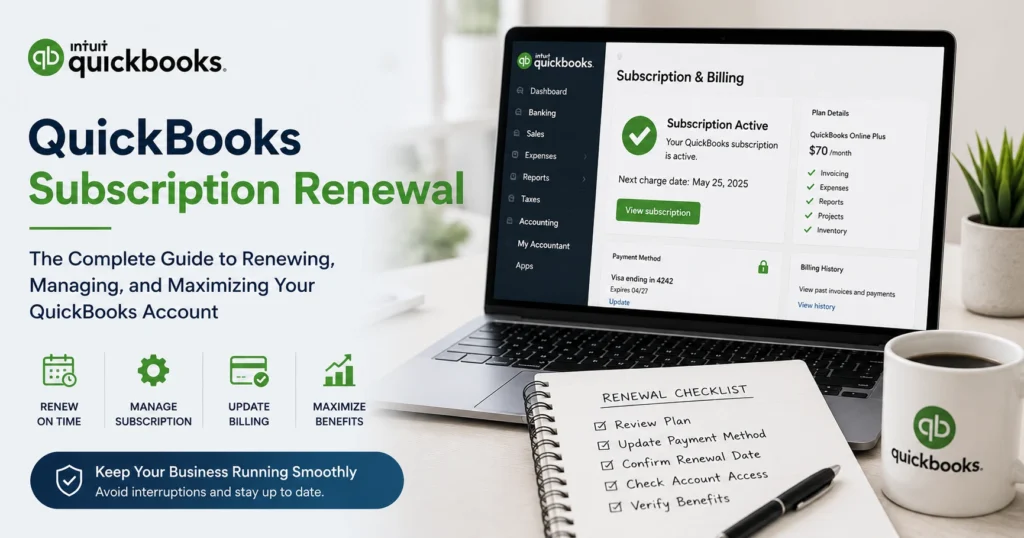
Introduction
QuickBooks has become one of the most trusted accounting solutions for businesses of all sizes. From tracking income and expenses to managing payroll, invoices, taxes, and financial reporting, QuickBooks helps organizations streamline their accounting processes and maintain accurate financial records.
However, maintaining access to these essential features requires an active subscription. This is where QuickBooks Subscription Renewal becomes critical. Whether you use QuickBooks Online, QuickBooks Desktop Plus, QuickBooks Enterprise, Payroll Services, or other integrated products, timely renewal ensures uninterrupted access to the tools your business relies on every day.
Many users overlook subscription management until they receive expiration warnings or experience service interruptions. Delayed renewals can lead to limited functionality, payroll disruptions, restricted support access, and potential challenges during tax season.
This comprehensive guide explains everything you need to know about QuickBooks Subscription Renewal, including how the renewal process works, why it matters, common issues users encounter, troubleshooting tips, and best practices for maintaining uninterrupted access to your accounting software.
Understanding QuickBooks Subscription Plans
QuickBooks has shifted from traditional one-time software purchases to subscription-based services. This approach allows users to receive continuous updates, security enhancements, cloud functionality, and ongoing customer support.
Popular QuickBooks subscription options include:
QuickBooks Online Simple Start
Designed for freelancers and small businesses, this plan offers essential accounting tools for managing income, expenses, and invoices.
QuickBooks Online Essentials
Provides additional features such as bill management and multi-user access.
QuickBooks Online Plus
Includes inventory tracking, project profitability analysis, and advanced reporting capabilities.
QuickBooks Online Advanced
Ideal for growing businesses that require enhanced automation, analytics, and workflow customization.
QuickBooks Desktop Plus
Offers desktop-based accounting with annual updates and support.
QuickBooks Enterprise
A comprehensive solution designed for larger organizations with advanced inventory, reporting, and user management requirements.
Payroll and Additional Services
Many businesses also subscribe to payroll processing, payment services, time tracking, and inventory management add-ons.
Each subscription type follows its own renewal schedule and billing structure.
What Is QuickBooks Subscription Renewal?
QuickBooks Subscription Renewal refers to the process of extending your subscription period so you can continue accessing software features, updates, and support services.
Most subscriptions renew automatically before expiration using the payment method associated with the account. Users may also choose manual renewal depending on their preferences and subscription type.
Successful renewal allows uninterrupted access to:
- Accounting features
- Financial reporting tools
- Payroll processing
- Tax calculation services
- Cloud storage and synchronization
- Security updates
- Technical support
- Data backup services
Without renewal, access to some or all of these services may become restricted.
Why QuickBooks Subscription Renewal Is Important
Businesses depend on QuickBooks to manage daily financial activities. Allowing a subscription to expire can create serious operational challenges.
Some of the most common consequences include:
Loss of Critical Accounting Functions
An expired subscription may limit access to invoicing, reporting, reconciliation, and bookkeeping features.
Payroll Processing Interruptions
Businesses using payroll services may encounter issues processing employee payments or tax filings.
Missing Security Updates
Expired subscriptions often stop receiving important security patches and software enhancements.
Limited Customer Support
Users may lose access to technical assistance and troubleshooting resources.
Compliance Risks
Outdated software can create challenges when dealing with tax regulations and reporting requirements.
Timely renewal helps prevent these issues and keeps business operations running smoothly.
How Automatic Renewal Works
Most QuickBooks subscriptions are enrolled in automatic renewal by default.
Before the subscription expires, QuickBooks charges the payment method stored in the account. If the transaction is successful, the subscription is extended automatically without requiring user intervention.
Benefits of automatic renewal include:
- Continuous access to services
- Reduced administrative effort
- Automatic software updates
- Ongoing support eligibility
- Improved account security
Businesses should regularly verify billing information to ensure successful processing.
Manual QuickBooks Subscription Renewal
Some users prefer manual renewal because it provides greater control over expenses and subscription management.
The manual renewal process typically includes:
- Logging into the QuickBooks account.
- Accessing subscription and billing settings.
- Reviewing current subscription details.
- Selecting a renewal option.
- Confirming payment information.
- Completing payment.
- Verifying successful renewal.
Manual renewal requires careful monitoring of expiration dates to avoid service interruptions.
Signs Your Subscription Is About to Expire
QuickBooks generally provides advance notice before expiration.
Common reminders include:
- Email notifications
- Billing alerts
- Dashboard warnings
- In-product messages
- Subscription status updates
Businesses should monitor these notifications carefully and take action before the expiration date arrives.
Benefits of Renewing Your QuickBooks Subscription
Continued Access to Software Features
Renewal ensures uninterrupted access to accounting, invoicing, and reporting tools.
Regular Security Updates
Subscribers receive software enhancements that improve security and performance.
Technical Support Access
Active subscriptions allow users to receive assistance from support professionals.
Payroll Services Continuity
Payroll subscribers maintain access to tax calculations, direct deposit features, and compliance updates.
Cloud-Based Functionality
Online users continue benefiting from cloud synchronization and remote accessibility.
Improved Productivity
Maintaining an active subscription helps businesses avoid costly disruptions and downtime.
Common QuickBooks Subscription Renewal Problems
Although the process is generally straightforward, users occasionally encounter challenges.
Payment Method Errors
Expired credit cards and insufficient funds are common causes of failed renewals.
Billing Information Issues
Incorrect addresses or outdated contact details can prevent successful processing.
Account Verification Problems
Security checks may require users to verify ownership before renewal can proceed.
Subscription Mismatch
Users sometimes renew the wrong plan or unintentionally purchase duplicate services.
Delayed Processing
Occasionally, payment processing delays may temporarily affect account access.
Understanding these issues can help users resolve them quickly.
How to Update Billing Information Before Renewal
Maintaining accurate billing information is one of the most effective ways to prevent renewal issues.
Review the following regularly:
- Credit card information
- Payment methods
- Billing addresses
- Email addresses
- Business details
Updating account information before the renewal date significantly reduces the likelihood of failed transactions.
Choosing the Right Plan During Renewal
Renewal offers an excellent opportunity to evaluate whether your current subscription still meets your business needs.
Consider the following questions:
- Has your business grown significantly?
- Do you need additional user access?
- Are reporting requirements becoming more complex?
- Would advanced inventory management improve efficiency?
- Is payroll integration necessary?
Businesses frequently discover that upgrading or modifying plans during renewal provides greater value.
QuickBooks Online Renewal Considerations
QuickBooks Online users enjoy several advantages during the renewal process.
Important areas to review include:
- User permissions
- Connected applications
- Data usage
- Subscription features
- Billing preferences
Maintaining updated payment information typically results in a seamless renewal experience.
QuickBooks Desktop Subscription Renewal
Desktop users should pay close attention to subscription expiration dates.
Renewal helps maintain access to:
- Product updates
- Security enhancements
- Payroll integrations
- Technical support
- Connected services
Failure to renew can result in reduced functionality and limited support options.
Payroll Subscription Renewal
Payroll services deserve special attention because expiration can directly affect employee compensation and tax compliance.
Payroll subscription benefits include:
- Tax calculations
- Direct deposit capabilities
- Payroll reporting
- Tax form generation
- Compliance updates
Timely renewal helps ensure accurate payroll processing and regulatory compliance.
Data Access After Subscription Expiration
Many users worry about losing access to their company data if a subscription expires.
In most situations, accounting data remains stored, but functionality may become restricted.
Potential limitations include:
- Read-only access
- Disabled payroll services
- Limited reporting
- Reduced cloud functionality
- Restricted integrations
Renewing promptly helps restore full access.
Security Advantages of Active Subscriptions
Cybersecurity threats continue to evolve, making software updates increasingly important.
Active subscriptions provide:
- Security patches
- Fraud protection enhancements
- Authentication improvements
- Compliance-related updates
- Data protection measures
Maintaining current software reduces exposure to potential risks.
Cost Management Strategies
Businesses can maximize subscription value through proactive management.
Recommended practices include:
- Reviewing plans annually
- Eliminating unused add-ons
- Monitoring user licenses
- Comparing available subscription options
- Tracking recurring expenses
These strategies help maintain cost efficiency while ensuring access to necessary features.
Best Practices for Successful Renewal
To avoid problems, businesses should:
- Keep billing information current.
- Monitor renewal notifications.
- Review subscription plans annually.
- Verify successful payments.
- Maintain updated contact information.
- Document renewal details.
- Retain billing confirmations.
These simple practices significantly reduce the risk of service interruptions.
Troubleshooting Renewal Issues
If renewal problems occur, try the following steps:
- Verify payment information.
- Confirm account ownership.
- Review billing notifications.
- Check available funds.
- Confirm subscription details.
- Update outdated account information.
Many issues can be resolved quickly through account verification and billing updates.
Preparing for Future Renewals
Subscription management should be treated as an ongoing business process.
Effective planning may include:
- Tracking renewal dates
- Maintaining backup payment methods
- Reviewing service utilization
- Monitoring software updates
- Evaluating changing business needs
Proactive planning helps prevent future disruptions.
The Future of Subscription-Based Accounting Software
The accounting industry continues moving toward cloud-based subscription models.
Future innovations may include:
- Artificial intelligence bookkeeping
- Automated reconciliation
- Enhanced reporting analytics
- Improved mobile accessibility
- Greater automation capabilities
- Expanded third-party integrations
Businesses with active subscriptions will be positioned to take advantage of these advancements.
Conclusion
QuickBooks Subscription Renewal plays a critical role in maintaining uninterrupted access to one of the world’s leading accounting platforms. Whether you are a freelancer, small business owner, accountant, or enterprise organization, timely renewal ensures continued access to essential accounting tools, payroll services, security updates, cloud functionality, and technical support.
By understanding the renewal process, maintaining accurate billing information, monitoring expiration notifications, and regularly evaluating business requirements, organizations can avoid common renewal challenges and maximize the value of their QuickBooks investment.
A proactive approach to subscription management not only prevents service interruptions but also helps businesses maintain accurate financial records, improve operational efficiency, and support long-term growth. Investing a small amount of time in renewal planning today can save significant time, money, and frustration in the future.