
Introduction
QuickBooks is one of the most widely used accounting software platforms for businesses, freelancers, bookkeepers, and accounting professionals. It helps organizations manage invoices, payroll, expenses, taxes, inventory, and financial reporting from a centralized system. While QuickBooks provides numerous benefits, there may come a time when a business decides that continuing its subscription is no longer necessary.
Some companies cancel because they are downsizing, switching to another accounting solution, reducing operating costs, or closing their business altogether. Others may find that their accounting requirements have changed and no longer align with their current QuickBooks plan.
Regardless of the reason, canceling a QuickBooks subscription should be approached carefully. Businesses must understand the impact on billing, data access, payroll services, reporting capabilities, integrations, and tax records before making a final decision.
This comprehensive guide explains everything you need to know about how to cancel a QuickBooks subscription, what happens after cancellation, how to protect your financial information, common mistakes to avoid, and the alternatives available if you are considering ending your subscription.
Understanding QuickBooks Subscription Services
QuickBooks operates primarily on a subscription-based model. Rather than purchasing software once and owning it indefinitely, users pay monthly or annual fees to access services and updates.
Common QuickBooks products include:
QuickBooks Online
Cloud-based accounting software designed for small and medium-sized businesses.
QuickBooks Online Essentials
Includes advanced invoicing, bill management, and multiple-user access.
QuickBooks Online Plus
Offers inventory tracking, project management, and enhanced reporting.
QuickBooks Online Advanced
Built for growing businesses with complex accounting requirements.
QuickBooks Desktop Plus
Desktop accounting software that includes annual updates and support.
QuickBooks Enterprise
A robust accounting solution for larger organizations requiring advanced controls and scalability.
Payroll Services
Payroll processing, direct deposit, tax calculations, and compliance management.
Each service may have different cancellation policies, billing structures, and data retention procedures.
Why Businesses Cancel QuickBooks Subscriptions
There are several reasons organizations choose to cancel their QuickBooks subscriptions.
Business Closure
When a company ceases operations, maintaining an active accounting subscription may no longer be necessary.
Switching Accounting Platforms
Businesses sometimes migrate to alternative accounting software that better suits their needs.
Cost Reduction
Reducing recurring software expenses can become a priority during economic uncertainty.
Feature Requirements Have Changed
Some businesses outgrow their existing plan or require specialized features unavailable within QuickBooks.
Temporary Suspension of Operations
Seasonal businesses may pause operations and reassess software expenses.
Consolidation of Business Systems
Organizations may move to enterprise resource planning systems that combine accounting with other business functions.
Understanding your motivation helps determine the best cancellation strategy.
Things to Consider Before Canceling QuickBooks
Before ending your subscription, evaluate the potential consequences carefully.
Data Accessibility
Determine how long you will need access to historical accounting records.
Tax Reporting Requirements
Past financial information may still be required for audits and tax filings.
Payroll Processing
Active payroll subscriptions should be reviewed carefully before cancellation.
Outstanding Transactions
Ensure all invoices, payments, and reconciliations are completed.
Third-Party Integrations
Review any connected applications that depend on QuickBooks.
User Access
Consider how cancellation will affect employees, accountants, and financial advisors.
Proper planning helps prevent unexpected disruptions.
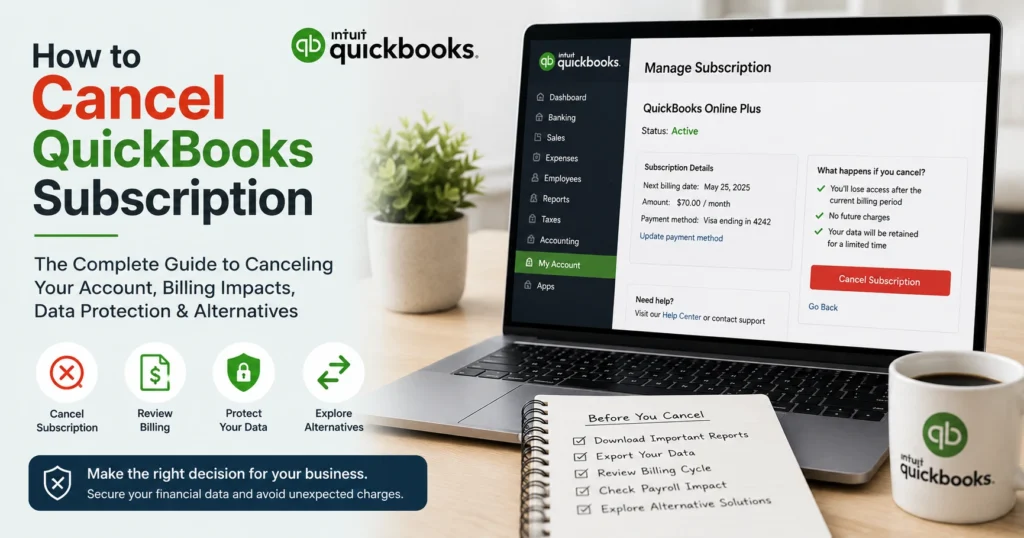
How QuickBooks Subscription Cancellation Works
The cancellation process generally involves the following steps:
- Sign into your QuickBooks account.
- Navigate to Account and Settings.
- Open the Billing and Subscription section.
- Review subscription details.
- Select Cancel Subscription.
- Confirm cancellation preferences.
- Complete the cancellation process.
- Save confirmation records.
The exact process may vary depending on the QuickBooks product being used.
Canceling QuickBooks Online
QuickBooks Online users typically manage subscriptions through their Intuit account.
Before canceling:
- Review account status.
- Download necessary reports.
- Save important financial records.
- Export company data if required.
- Verify cancellation terms.
Once completed, access to certain features may become restricted after the subscription period ends.
Canceling QuickBooks Desktop Subscriptions
Desktop subscription users should consider several factors before cancellation.
These include:
- Product updates
- Technical support eligibility
- Payroll integrations
- Banking connections
- Security enhancements
Failure to plan properly can affect future access to accounting functionality.
Canceling QuickBooks Payroll Services
Payroll services require additional consideration because they directly affect employee compensation and tax compliance.
Before cancellation:
Process Final Payroll Runs
Ensure all employee payments are completed.
Download Payroll Reports
Save records for future reference.
Retrieve Tax Documents
Maintain copies of tax forms and payroll filings.
Verify Compliance Requirements
Meet all local, state, and federal obligations.
Payroll data should be securely archived before cancellation.
What Happens After Canceling QuickBooks?
Many users wonder what occurs once a subscription is canceled.
The impact depends on the product and subscription type.
Potential changes may include:
- Restricted software access
- Limited reporting capabilities
- Disabled payroll functionality
- Loss of automatic updates
- Reduced technical support access
- Limited cloud synchronization
Understanding these outcomes helps businesses prepare appropriately.
Will You Lose Your Financial Data?
One of the most common concerns involves data retention.
In many cases, QuickBooks maintains company data for a period following cancellation. However, access levels may vary depending on the subscription type.
Businesses should never rely solely on platform retention policies.
Always create backups of:
- Financial statements
- General ledger reports
- Customer records
- Vendor information
- Payroll reports
- Tax documents
- Bank reconciliation reports
Maintaining independent copies ensures long-term accessibility.
Exporting Data Before Cancellation
Data export should be considered mandatory before ending a subscription.
Important records include:
Profit and Loss Reports
Provides a summary of company profitability.
Balance Sheets
Shows assets, liabilities, and equity.
Cash Flow Statements
Tracks business cash movement.
Accounts Receivable Reports
Documents customer balances.
Accounts Payable Reports
Tracks vendor obligations.
Payroll Records
Maintains employee compensation history.
Tax Documents
Supports compliance and audit requirements.
Store exported files securely for future reference.
Common Mistakes to Avoid
Many businesses make avoidable errors during cancellation.
Canceling Before Downloading Data
Always secure financial records before ending service.
Ignoring Payroll Obligations
Payroll compliance requirements continue even after cancellation.
Forgetting Linked Applications
Review all integrations connected to QuickBooks.
Missing Tax Deadlines
Ensure necessary reports remain accessible.
Not Informing Stakeholders
Accountants and finance personnel should be notified before cancellation.
Avoiding these mistakes helps ensure a smooth transition.
Reviewing Outstanding Financial Tasks
Before cancellation, complete all critical accounting activities.
Examples include:
- Reconciling accounts
- Recording expenses
- Processing invoices
- Collecting payments
- Paying vendors
- Reviewing payroll entries
- Closing accounting periods
Completing these tasks improves financial accuracy.
Alternative Options to Cancellation
Cancellation is not always the best solution.
Several alternatives may better address your needs.
Downgrading Your Subscription
Switching to a lower-cost plan can reduce expenses while preserving access.
Removing Unused Add-Ons
Eliminating unnecessary services may lower monthly costs.
Seasonal Adjustments
Temporary changes may be available for businesses with seasonal operations.
Account Optimization
Improving workflows can increase software value without changing subscriptions.
Exploring alternatives may provide greater flexibility.
Switching to Another Accounting Platform
Businesses that cancel QuickBooks often migrate to another accounting solution.
When evaluating alternatives, consider:
Ease of Migration
Data transfer capabilities are essential.
Feature Availability
Compare accounting, reporting, payroll, and automation features.
Pricing Structure
Review subscription costs carefully.
Customer Support
Reliable support remains important during transitions.
Integration Compatibility
Ensure business-critical applications remain connected.
Planning a migration strategy minimizes disruption.
Security Considerations During Cancellation
Data security remains important even after ending a subscription.
Recommended practices include:
- Exporting encrypted backups
- Securing payroll records
- Updating user permissions
- Removing unnecessary integrations
- Archiving sensitive documents
Strong security practices help protect financial information.
Managing Subscription Billing
To prevent unexpected charges:
Verify Cancellation Confirmation
Retain confirmation emails and records.
Review Payment Methods
Confirm recurring billing has ended.
Monitor Bank Statements
Check for unexpected transactions.
Update Internal Documentation
Record cancellation dates and account changes.
Proper billing management helps avoid future disputes.
Tax Implications of Canceling QuickBooks
Businesses should consider tax requirements before canceling.
Accounting records may be needed for:
- Annual tax returns
- Audits
- Financial reviews
- Compliance reporting
- Regulatory requirements
Maintaining accessible records supports long-term compliance.
Creating a Long-Term Record Retention Strategy
Financial documents often need to be retained for several years.
Develop a retention plan that includes:
- Digital backups
- Secure storage systems
- Redundant copies
- Organized file structures
- Restricted access controls
Proper record management simplifies future retrieval.
Frequently Asked Questions About Canceling QuickBooks
Can I reactivate my QuickBooks subscription later?
In many cases, subscriptions can be reactivated depending on account status and product availability.
Will cancellation affect historical reports?
Access may become limited, which is why exporting reports beforehand is highly recommended.
Can I cancel payroll separately?
Yes. Payroll services often have separate subscription settings and cancellation procedures.
Will I receive a refund?
Refund eligibility depends on subscription terms, billing cycles, and applicable policies.
How long is data retained after cancellation?
Retention periods vary depending on the product and service agreement.
Best Practices for a Smooth Cancellation Process
Follow these recommendations:
- Export all critical data.
- Complete outstanding accounting tasks.
- Save payroll records.
- Review tax requirements.
- Notify relevant stakeholders.
- Verify cancellation confirmation.
- Monitor billing activity.
- Maintain secure backups.
A structured approach reduces the likelihood of future complications.
Conclusion
Canceling a QuickBooks subscription is a significant business decision that should be approached with careful planning and attention to detail. While the cancellation process itself is usually straightforward, the broader implications for financial data, payroll services, reporting capabilities, compliance requirements, and business continuity deserve thoughtful consideration.
Before canceling, businesses should ensure that all important financial records are exported, payroll obligations are satisfied, outstanding transactions are completed, and stakeholders are informed. Taking these proactive steps helps preserve valuable information and minimizes disruptions during the transition.
Whether you are closing a business, switching accounting platforms, reducing expenses, or simply reassessing your software needs, understanding the complete cancellation process can help you make informed decisions and maintain control over your financial operations. With proper preparation, businesses can confidently move forward while protecting their accounting records and ensuring long-term compliance.