
Introduction
QuickBooks Online is one of the most widely used cloud-based accounting platforms for small businesses, accountants, bookkeepers, and entrepreneurs. It provides users with convenient access to financial data from anywhere while offering tools for invoicing, payroll management, expense tracking, reporting, inventory control, and tax preparation.
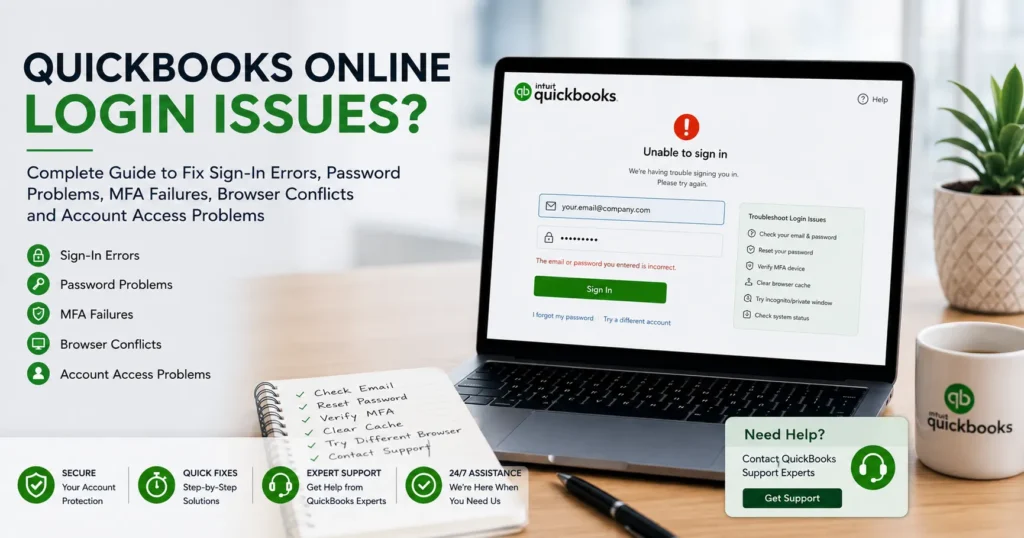
However, despite its reliability, many users encounter QuickBooks Online login issues that prevent them from accessing their accounts. Whether it’s an incorrect password, browser conflict, multi-factor authentication failure, account lockout, or server-related issue, login problems can disrupt business operations and delay important accounting tasks.
If you’re unable to access your QuickBooks Online account, don’t panic. Most login issues can be resolved quickly with proper troubleshooting.
This comprehensive guide explains the most common QuickBooks Online login problems, their causes, solutions, and preventive measures to help you regain secure access to your account.
What Are QuickBooks Online Login Issues?
QuickBooks Online login issues refer to problems that prevent users from successfully signing into their accounts.
Common login errors include:
- Incorrect username or password
- Multi-factor authentication failures
- Browser compatibility issues
- Account lockouts
- Verification code problems
- Security warnings
- Loading or redirect loops
- Session timeout errors
These issues may occur before login, during authentication, or immediately after signing in.
Common Symptoms of QuickBooks Online Login Problems
Users experiencing login difficulties often report:
Sign-In Page Not Loading
The login screen may remain blank or fail to load completely.
Incorrect Password Message
Users receive repeated password errors despite entering correct credentials.
Verification Code Not Received
Multi-factor authentication codes never arrive through email or text.
Endless Loading Screen
QuickBooks continues loading without opening the dashboard.
Browser Redirect Loop
The system repeatedly redirects users back to the login page.
Session Expired Error
Users are unexpectedly logged out and asked to sign in again.
Account Locked
Multiple failed login attempts trigger a temporary security lock.
Why QuickBooks Online Login Issues Occur
Understanding the root cause is the first step toward resolving the problem.
Incorrect Login Credentials
One of the most common causes is entering:
- Wrong password
- Incorrect email address
- Outdated login information
Passwords are case-sensitive, making small typing mistakes problematic.
Browser Cache and Cookie Conflicts
Browsers store temporary files to improve performance.
Over time, corrupted cache files may interfere with QuickBooks authentication.
Common symptoms include:
- Login loops
- Blank pages
- Failed authentication
Multi-Factor Authentication Issues
QuickBooks uses multi-factor authentication (MFA) to enhance security.
Problems may occur when:
- Verification codes are delayed
- Phone numbers change
- Email access is lost
- Authentication apps malfunction
Internet Connectivity Problems
QuickBooks Online requires a stable internet connection.
Weak connectivity can interrupt:
- Login requests
- Authentication processes
- Dashboard loading
Browser Compatibility Problems
Older browsers may not support QuickBooks Online properly.
Issues frequently occur with:
- Outdated browser versions
- Unsupported browsers
- Disabled JavaScript
Security Software Conflicts
Certain antivirus programs and firewalls may block QuickBooks services.
This can prevent successful authentication.
QuickBooks Server Maintenance
Occasionally, login issues result from temporary maintenance or server outages.
Users may encounter:
- Login failures
- Slow performance
- Service interruptions
How to Fix QuickBooks Online Login Issues
The following troubleshooting steps resolve most login-related problems.
Solution 1: Verify Login Credentials
Before attempting advanced fixes:
- Re-enter your email address carefully.
- Verify password accuracy.
- Check Caps Lock status.
- Ensure there are no extra spaces.
Many login failures occur due to simple credential mistakes.
Solution 2: Reset Your Password
If you’re unable to sign in:
- Select “Forgot Password.”
- Enter your registered email address.
- Follow password reset instructions.
- Create a strong new password.
Strong passwords should include:
- Uppercase letters
- Lowercase letters
- Numbers
- Special characters
Solution 3: Clear Browser Cache and Cookies
Corrupted browser data frequently causes authentication issues.
Google Chrome
- Open Settings.
- Select Privacy and Security.
- Clear Browsing Data.
- Choose Cookies and Cached Images.
- Restart the browser.
Repeat similar steps for Firefox, Edge, or Safari.
Solution 4: Use Incognito Mode
Private browsing disables stored cache and extensions.
Try logging in using:
- Chrome Incognito Mode
- Firefox Private Window
- Edge InPrivate Mode
If login works successfully, browser data is likely causing the issue.
Solution 5: Disable Browser Extensions
Certain extensions interfere with QuickBooks.
Examples include:
- Ad blockers
- Script blockers
- Privacy tools
- Security add-ons
Temporarily disable extensions and test login functionality.
Solution 6: Update Your Browser
Using outdated browsers may prevent proper authentication.
Supported browsers typically include:
- Google Chrome
- Mozilla Firefox
- Microsoft Edge
- Safari
Install the latest version available.
Solution 7: Verify Internet Connectivity
Poor internet connections can interrupt login requests.
Check:
- Wi-Fi stability
- Network speed
- Router performance
Restart networking equipment if necessary.
Solution 8: Check Multi-Factor Authentication
MFA problems are increasingly common.
Verify:
- Phone number accuracy
- Email accessibility
- Authenticator app functionality
Request a new verification code if needed.
Fixing Verification Code Problems
Users frequently report not receiving MFA codes.
Possible Causes
- Network delays
- Incorrect contact information
- Spam filtering
- Blocked messages
Solutions
- Check spam folders
- Confirm registered phone number
- Request another code
- Update account recovery settings
Fixing Account Lockouts
QuickBooks automatically locks accounts after multiple failed login attempts.
Why Accounts Get Locked
- Incorrect password attempts
- Suspicious activity
- Security protection measures
Resolution
Wait for the lockout period to expire or reset your password.
Fixing Browser Redirect Loops
Some users become trapped in an endless login cycle.
Common Causes
- Corrupted cookies
- Browser extensions
- Cached login sessions
Fixes
- Clear browser cache
- Use incognito mode
- Disable extensions
- Restart browser
Fixing Session Timeout Errors
QuickBooks automatically signs users out after periods of inactivity.
Causes
- Security settings
- Network interruptions
- Browser conflicts
Solutions
- Save work regularly
- Maintain internet connectivity
- Update browser settings
QuickBooks Online Login Issues on Mobile Devices
Mobile users may experience additional challenges.
Common issues include:
- App crashes
- Authentication failures
- Stuck loading screens
Solutions
- Update the QuickBooks app.
- Restart the device.
- Clear app cache.
- Reinstall the application.
Security Best Practices
Protecting your QuickBooks account is essential.
Enable Multi-Factor Authentication
MFA significantly improves account security.
Use Strong Passwords
Avoid:
- Simple passwords
- Reused credentials
- Predictable patterns
Monitor Login Activity
Review login history regularly.
Update Recovery Information
Ensure phone numbers and email addresses remain current.
Preventing Future Login Issues
Businesses can minimize login disruptions through proactive maintenance.
Weekly Tasks
- Review account security
- Verify recovery methods
- Monitor suspicious activity
Monthly Tasks
- Update passwords
- Clear browser cache
- Review user permissions
Quarterly Tasks
- Audit security settings
- Remove inactive users
- Test recovery options
Common QuickBooks Online Login Error Messages
Incorrect User ID or Password
Usually indicates credential mismatch.
Account Locked
Triggered by multiple failed login attempts.
Verification Failed
MFA code was incorrect or expired.
Service Unavailable
May indicate server maintenance.
Session Expired
Requires reauthentication.
Understanding these messages helps identify the correct solution.
Frequently Asked Questions
Why can’t I log into QuickBooks Online?
Login issues commonly result from incorrect credentials, browser conflicts, internet problems, or MFA failures.
How do I reset my QuickBooks Online password?
Use the “Forgot Password” option and follow the verification process.
Why am I not receiving my verification code?
Check spam folders, confirm contact information, and request a new code.
Can browser cache prevent QuickBooks login?
Yes. Corrupted cache and cookies often cause login failures.
How can I prevent future login issues?
Maintain updated credentials, use MFA, clear browser cache regularly, and keep recovery information current.
Conclusion
QuickBooks Online login issues can disrupt daily accounting operations, delay financial reporting, and create unnecessary stress for business owners. Fortunately, most login problems stem from common causes such as incorrect credentials, browser conflicts, internet connectivity issues, MFA failures, or security settings.
By following the troubleshooting methods outlined in this guide, users can quickly restore access to their QuickBooks Online accounts and maintain uninterrupted productivity. Regular security reviews, password updates, browser maintenance, and account monitoring remain the most effective ways to prevent future login problems and ensure a secure accounting environment.
Whether you’re dealing with password errors, verification code failures, account lockouts, or browser-related login issues, the solutions provided here can help restore access and keep your business running smoothly.