
Introduction
As organizations increasingly rely on cloud-based collaboration and productivity tools, cybersecurity has become a top priority. Microsoft 365 has become the backbone of modern workplaces, powering email, document sharing, communication, and collaboration. However, with greater accessibility comes increased security risks. Cybercriminals frequently target Microsoft 365 environments through phishing attacks, account compromises, ransomware, and data breaches.
This is where Microsoft 365 Security Support becomes essential. Proper security configuration, continuous monitoring, threat detection, and compliance management help organizations protect sensitive information while maintaining productivity.
In this comprehensive guide, we’ll explore Microsoft 365 security, common threats, best practices, and how professional security support can safeguard your business.
What is Microsoft 365 Security Support?
Microsoft 365 Security Support involves securing, monitoring, managing, and optimizing the security features within a Microsoft 365 environment.
Security support typically includes:
- Microsoft Defender Configuration
- Multi-Factor Authentication (MFA)
- Conditional Access Policies
- Identity Protection
- Email Security
- Threat Detection and Response
- Compliance Management
- Data Loss Prevention (DLP)
- Security Monitoring
- Incident Response
The objective is to reduce security risks while ensuring uninterrupted business operations.
Why Microsoft 365 Security Matters
Microsoft 365 stores critical business information including:
- Emails
- Financial Records
- Employee Data
- Customer Information
- Intellectual Property
- Business Documents
- Collaboration Data
Without proper security controls, this information becomes vulnerable to cyber threats.
According to industry reports, email remains one of the most common entry points for cyberattacks, making Microsoft 365 security a business necessity rather than an option.
Common Microsoft 365 Security Threats
Phishing Attacks
Phishing emails attempt to trick users into revealing credentials or downloading malicious files.
Common phishing indicators include:
- Fake login pages
- Suspicious links
- Urgent requests
- Impersonation emails
Account Compromise
Attackers often gain unauthorized access through:
- Weak passwords
- Credential theft
- Password reuse
- Brute-force attacks
Compromised accounts can lead to data theft and financial losses.
Business Email Compromise (BEC)
BEC attacks target executives, finance teams, and employees by impersonating trusted individuals.
Consequences may include:
- Fraudulent wire transfers
- Data breaches
- Financial losses
Malware and Ransomware
Cybercriminals distribute malware through:
- Email attachments
- Malicious links
- Infected downloads
Ransomware can encrypt business data and disrupt operations.
Insider Threats
Not all threats originate externally.
Risks include:
- Accidental data exposure
- Unauthorized sharing
- Privilege misuse
- Human error
Key Microsoft 365 Security Features
Microsoft provides powerful built-in security capabilities.
Multi-Factor Authentication (MFA)
MFA adds an additional verification layer beyond passwords.
Benefits include:
- Reduced account compromise risk
- Enhanced login security
- Compliance support
MFA is one of the most effective security controls available.
Microsoft Defender for Office 365
Microsoft Defender protects against:
- Phishing
- Malware
- Spam
- Zero-Day Threats
- Malicious Attachments
Features include:
- Safe Links
- Safe Attachments
- Anti-Phishing Policies
- Threat Investigation
Conditional Access Policies
Conditional Access allows organizations to control access based on:
- User Identity
- Device Health
- Geographic Location
- Risk Level
- Application Access
This helps prevent unauthorized access attempts.
Microsoft Entra ID Protection
Previously known as Azure AD Identity Protection.
Capabilities include:
- Risk Detection
- Sign-In Monitoring
- Automated Responses
- Identity Risk Analysis
Data Loss Prevention (DLP)
DLP helps prevent sensitive data from leaving the organization.
Protected information may include:
- Credit Card Numbers
- Social Security Numbers
- Financial Records
- Personal Information
Information Protection
Organizations can classify and protect documents using:
- Labels
- Encryption
- Access Restrictions
- Data Classification Policies
Microsoft 365 Security Assessment
Before implementing security measures, organizations should perform a security assessment.
A security review typically examines:
- User Accounts
- Security Policies
- Permissions
- Device Management
- Email Protection
- Compliance Requirements
The assessment identifies vulnerabilities and security gaps.
Microsoft 365 Security Support Services
Security Configuration
Experts configure security settings according to industry best practices.
Areas include:
- MFA Deployment
- Conditional Access
- Defender Policies
- Secure Authentication
Threat Monitoring
Continuous monitoring helps identify suspicious activities before they become serious incidents.
Monitoring includes:
- Login Attempts
- User Behavior
- Email Threats
- Endpoint Activity
Incident Response
When a security incident occurs, rapid response is essential.
Security support teams assist with:
- Threat Containment
- Investigation
- Remediation
- Recovery
Compliance Support
Many organizations must comply with regulations such as:
- HIPAA
- GDPR
- PCI-DSS
- SOC 2
- ISO 27001
Microsoft 365 security support helps meet these compliance requirements.
Best Practices for Microsoft 365 Security
Enable Multi-Factor Authentication
Every user account should use MFA.
Implement Strong Password Policies
Recommendations include:
- Complex passwords
- Password managers
- Regular reviews
Review User Permissions
Apply the principle of least privilege.
Users should only have access to resources necessary for their role.
Monitor Administrative Accounts
Administrative accounts should receive enhanced protection.
Recommendations include:
- Dedicated Admin Accounts
- MFA Enforcement
- Login Monitoring
Train Employees
Security awareness training helps users recognize:
- Phishing Emails
- Social Engineering
- Suspicious Links
- Fraud Attempts
Regularly Review Security Reports
Microsoft provides valuable security insights through:
- Secure Score
- Threat Explorer
- Defender Dashboard
- Compliance Center
Microsoft Secure Score Optimization
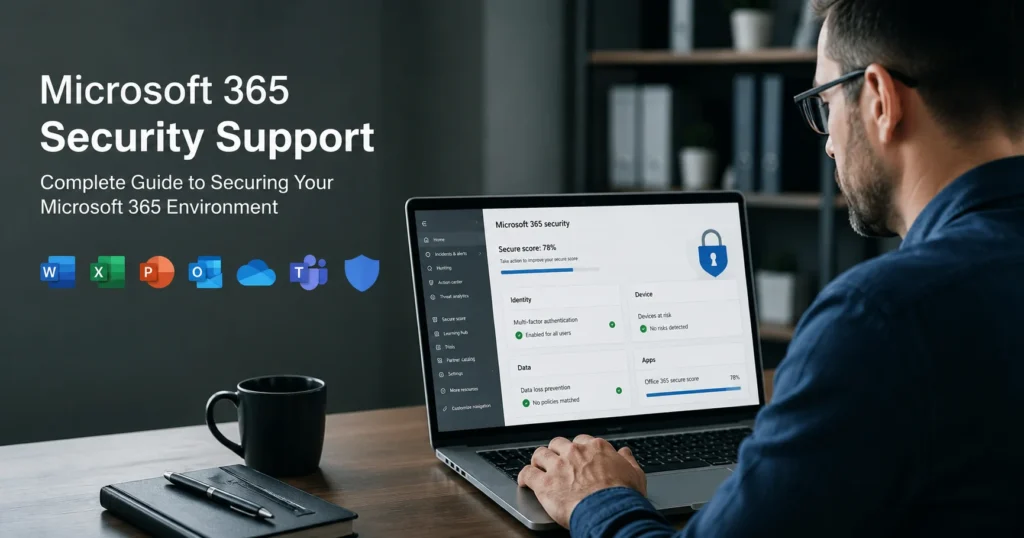
Microsoft Secure Score measures your security posture.
Higher scores indicate stronger security practices.
Improvement areas often include:
- MFA Deployment
- Device Protection
- Identity Security
- Application Controls
Security support professionals help maximize Secure Score effectively.
Microsoft 365 Security for Remote Work
Remote work introduces additional security challenges.
Organizations should implement:
- VPN Security
- Device Compliance Policies
- Conditional Access
- Endpoint Protection
These controls help secure remote employees and corporate resources.
Microsoft 365 Security for Small Businesses
Small businesses are frequent cyberattack targets due to limited IT resources.
Professional support helps:
- Reduce Security Risks
- Improve Compliance
- Configure Best Practices
- Protect Business Data
Affordable security solutions make enterprise-grade protection accessible.
Microsoft 365 Security for Enterprises
Enterprise environments require advanced security controls.
Common requirements include:
- Zero Trust Architecture
- Advanced Threat Protection
- SIEM Integration
- Identity Governance
- Privileged Access Management
Professional support ensures proper implementation and management.
Benefits of Professional Microsoft 365 Security Support
Organizations benefit from:
Enhanced Protection
Proactive security measures reduce attack risks.
Faster Threat Detection
Early identification minimizes damage.
Compliance Readiness
Meet regulatory requirements confidently.
Reduced Downtime
Rapid incident response limits operational disruptions.
Expert Guidance
Access experienced security specialists.
Signs You Need Microsoft 365 Security Support
Consider professional assistance if:
- Users experience phishing attacks.
- Security alerts are increasing.
- Compliance requirements exist.
- Sensitive data is stored in Microsoft 365.
- Internal IT resources are limited.
- Security policies have never been reviewed.
Future of Microsoft 365 Security
Microsoft continues investing heavily in AI-powered security technologies.
Emerging capabilities include:
- Automated Threat Response
- AI-Based Risk Detection
- Advanced Behavioral Analytics
- Zero Trust Security Models
- Intelligent Compliance Monitoring
Organizations adopting these technologies gain stronger protection against evolving threats.
Conclusion
Microsoft 365 has become a critical platform for modern businesses, making security more important than ever. Cyber threats continue evolving, and organizations must proactively protect their cloud environments, user identities, email systems, and sensitive data.
Professional Microsoft 365 Security Support helps businesses implement robust security controls, detect threats quickly, maintain compliance, and safeguard critical operations. Whether you’re a small business or a large enterprise, investing in Microsoft 365 security is an essential step toward long-term business resilience and cyber protection.
With the right security strategy and expert support, organizations can confidently leverage Microsoft 365 while minimizing risk and maximizing productivity.