
Introduction
Payroll software plays a crucial role in managing employee compensation, tax compliance, deductions, benefits, and direct deposits. To function correctly, payroll systems require regular updates that include tax table changes, security patches, compliance updates, and performance improvements.
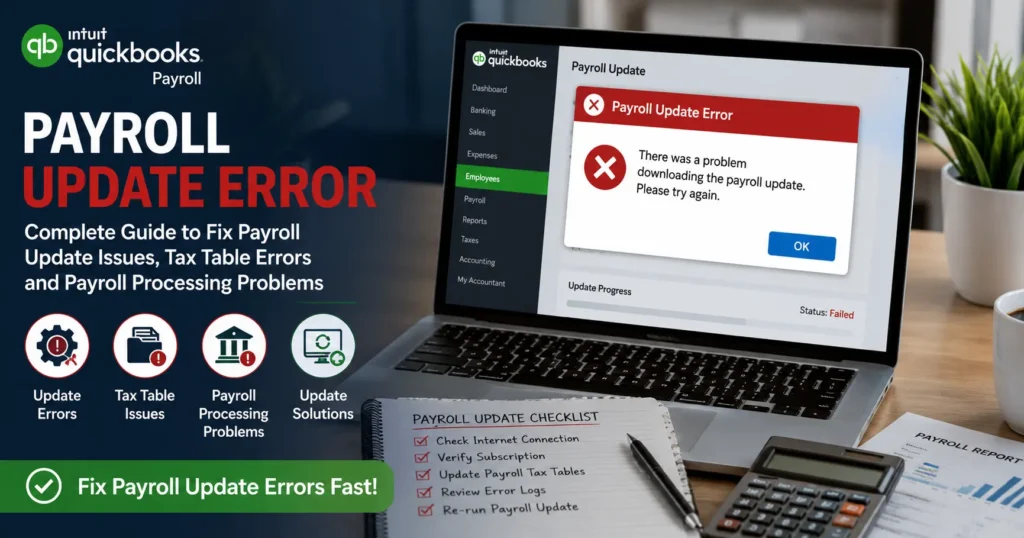
However, many businesses encounter a Payroll Update Error when attempting to update their payroll software. These errors can prevent payroll processing, delay employee payments, cause tax filing issues, and create compliance risks.
Whether you’re using QuickBooks Payroll, an online payroll system, or enterprise payroll software, payroll update errors can disrupt critical business operations. Understanding why these errors occur and how to fix them can help minimize downtime and ensure accurate payroll processing.
This comprehensive guide explains common payroll update errors, their causes, troubleshooting steps, preventive measures, and best practices for maintaining a healthy payroll system.
What Is a Payroll Update Error?
A Payroll Update Error occurs when payroll software fails to download, install, or apply payroll updates successfully.
Payroll updates typically contain:
- Updated tax tables
- Federal tax changes
- State tax changes
- Payroll compliance updates
- Security improvements
- Feature enhancements
- Bug fixes
When these updates fail, payroll calculations may become inaccurate, and payroll processing can be interrupted.
Why Payroll Updates Are Important
Payroll updates are essential because payroll regulations change frequently.
Regular updates help ensure:
Accurate Tax Calculations
Updated tax tables ensure employees and employers pay the correct taxes.
Compliance with Government Regulations
Payroll laws change regularly at federal, state, and local levels.
Improved Security
Updates often contain patches that protect payroll data from cyber threats.
Better Performance
Software updates improve system stability and functionality.
Error Resolution
Many updates fix known software bugs affecting payroll operations.
Common Payroll Update Errors
Users may encounter various payroll update issues.
Payroll Update Failed
This error indicates the software could not complete the update process.
Possible causes include:
- Internet interruptions
- Corrupted update files
- Server communication failures
- Security software conflicts
Tax Table Update Error
Tax table updates are critical for payroll accuracy.
Common causes include:
- Outdated software versions
- Incomplete downloads
- Subscription verification issues
Payroll Service Connection Error
This error occurs when payroll software cannot communicate with payroll servers.
Possible reasons:
- Internet connectivity issues
- Firewall restrictions
- Authentication failures
Payroll Subscription Verification Error
Many payroll systems require active subscriptions.
The error may occur due to:
- Expired subscriptions
- Payment processing issues
- Account verification problems
Payroll Update Installation Error
Sometimes updates download successfully but fail during installation.
Possible causes include:
- Insufficient system permissions
- Corrupted installation files
- Conflicting applications
Causes of Payroll Update Errors
Several factors can prevent payroll updates from installing properly.
Outdated Payroll Software
Running an older version of payroll software often causes update failures.
Older versions may not support newer update packages.
Poor Internet Connection
Payroll updates require stable internet access.
Issues may include:
- Slow internet speeds
- Connection interruptions
- Network instability
Firewall Restrictions
Firewalls may block communication between payroll software and update servers.
This is a common cause of update failures.
Antivirus Software Interference
Security programs may mistakenly identify payroll update files as suspicious.
As a result, downloads or installations may be blocked.
Damaged Installation Files
Corrupted software files can prevent successful updates.
Corruption may occur due to:
- Improper shutdowns
- Malware infections
- Incomplete installations
Insufficient User Permissions
Payroll updates often require administrative privileges.
Limited permissions can block update installation.
Symptoms of Payroll Update Errors
Businesses experiencing payroll update issues may notice:
- Payroll processing failures
- Tax calculation inaccuracies
- Missing payroll forms
- Direct deposit delays
- Error messages during updates
- Slow payroll software performance
- Missing compliance updates
Recognizing these symptoms early helps prevent larger payroll problems.
How to Fix Payroll Update Errors
Solution 1: Verify Internet Connectivity
A stable internet connection is essential.
Steps:
- Open a web browser.
- Test multiple websites.
- Restart your router.
- Retry the payroll update.
Network stability often resolves update failures.
Solution 2: Update Payroll Software
Ensure the payroll application itself is current.
Steps:
- Open payroll software.
- Navigate to Update Settings.
- Check for software updates.
- Install available updates.
- Restart the application.
Solution 3: Download Payroll Updates Again
Sometimes update files become corrupted.
Steps:
- Cancel the current update.
- Clear temporary update files.
- Restart software.
- Download updates again.
A fresh download frequently resolves installation problems.
Solution 4: Verify Payroll Subscription
Many payroll services require active subscriptions.
Review:
- Subscription status
- Billing information
- Account credentials
Renew expired subscriptions if necessary.
Solution 5: Run Software as Administrator
Administrative privileges may be required.
Steps:
- Close payroll software.
- Right-click the application.
- Select “Run as Administrator.”
- Retry the update.
Solution 6: Temporarily Disable Antivirus Software
Security software may interfere with updates.
Steps:
- Disable antivirus temporarily.
- Download payroll updates.
- Install updates.
- Re-enable security software.
Always re-enable protection after updates complete.
Solution 7: Configure Firewall Settings
Ensure payroll software is allowed through the firewall.
Review:
- Firewall exceptions
- Allowed applications
- Network permissions
Solution 8: Restart Payroll Services
Some payroll services run in the background.
Restarting services may resolve update issues.
Steps:
- Close payroll software.
- Restart your computer.
- Reopen software.
- Retry the update.
Payroll Tax Table Errors
Tax table updates are among the most critical payroll updates.
Common Tax Table Problems
Users may encounter:
- Missing tax tables
- Incorrect tax rates
- Incomplete updates
- Calculation discrepancies
How to Fix Tax Table Errors
- Download the latest tax table update.
- Verify update completion.
- Review payroll settings.
- Test payroll calculations.
Accurate tax tables help maintain compliance.
Direct Deposit Problems After Payroll Updates
Sometimes direct deposit issues occur after updates.
Common causes include:
- Banking information changes
- Payroll service reauthorization requirements
- Update installation problems
Verify direct deposit settings after major payroll updates.
Preventing Payroll Update Errors
Prevention is the best strategy.
Schedule Regular Updates
Install payroll updates promptly.
Benefits include:
- Current tax compliance
- Better security
- Improved functionality
Maintain Reliable Internet Access
Stable connectivity reduces update interruptions.
Back Up Payroll Data
Always create backups before installing updates.
Backups protect:
- Employee records
- Payroll history
- Tax information
Monitor Subscription Status
Ensure payroll subscriptions remain active.
Expired subscriptions frequently trigger update failures.
Train Payroll Staff
Proper training helps users:
- Identify update issues
- Follow update procedures
- Troubleshoot common problems
Best Practices for Payroll Maintenance
Organizations should:
- Review payroll reports regularly
- Conduct payroll audits
- Verify employee information
- Monitor tax compliance changes
- Keep payroll software updated
These practices reduce payroll errors and improve operational efficiency.
Frequently Asked Questions
What causes a payroll update error?
Payroll update errors may result from internet issues, outdated software, firewall restrictions, subscription problems, or corrupted update files.
How do I fix payroll update failures?
Verify internet connectivity, update payroll software, run updates as an administrator, and check firewall settings.
Can payroll updates affect tax calculations?
Yes. Payroll updates often include tax table changes that directly impact payroll tax calculations.
Why does my payroll update stop during installation?
This may occur because of insufficient permissions, corrupted files, antivirus interference, or system conflicts.
How can I prevent payroll update errors?
Keep software updated, maintain active subscriptions, back up payroll data regularly, and ensure stable internet connectivity.
Conclusion
Payroll Update Errors can disrupt payroll processing, delay employee payments, create tax compliance issues, and impact business operations. These errors often stem from common causes such as outdated software, internet connectivity problems, subscription verification failures, firewall restrictions, or corrupted update files.
Fortunately, most payroll update issues can be resolved through systematic troubleshooting, including verifying subscriptions, updating software, checking security settings, and maintaining reliable network connectivity.
By implementing proactive payroll management practices, conducting regular updates, and monitoring payroll systems carefully, businesses can minimize payroll disruptions and ensure accurate, timely payroll processing throughout the year.