
Introduction
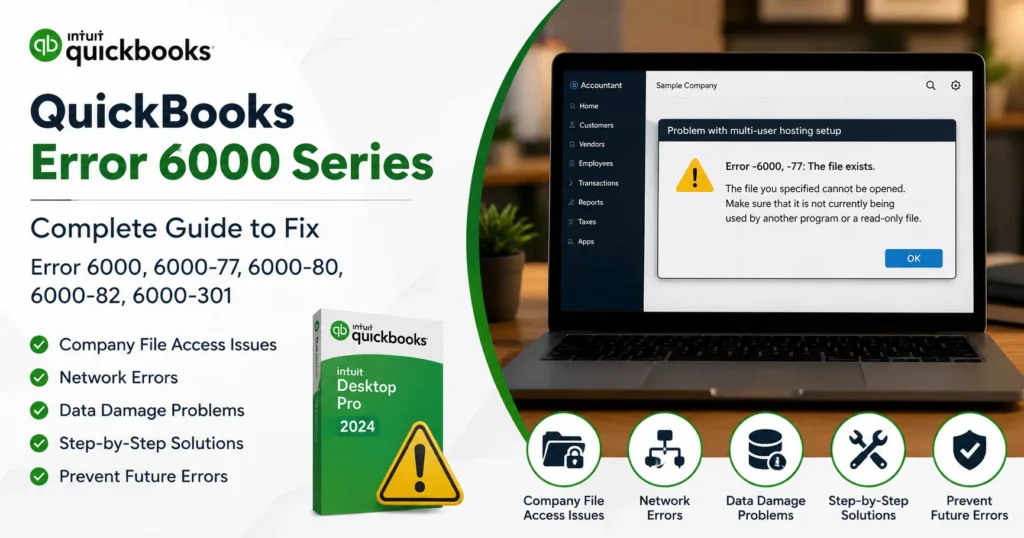
QuickBooks is one of the most trusted accounting solutions used by businesses worldwide. Despite its reliability, users occasionally encounter technical issues that interrupt workflow and prevent access to critical financial data. Among the most common and frustrating problems are the QuickBooks Error 6000 Series errors.
These errors typically occur when QuickBooks cannot open, access, restore, or connect to a company file. Since the company file contains all financial records, invoices, payroll information, vendor data, and reports, these errors can significantly disrupt business operations.
This guide provides a complete overview of the QuickBooks Error 6000 Series, including causes, symptoms, troubleshooting steps, prevention strategies, and solutions for specific error codes.
What Is QuickBooks Error 6000 Series?
The QuickBooks Error 6000 Series refers to a group of errors associated with company file access issues. These errors generally appear when QuickBooks cannot communicate with the company file due to network problems, damaged files, permission issues, or hosting configuration errors.
Common error messages include:
- Error -6000, -77
- Error -6000, -80
- Error -6000, -82
- Error -6000, -301
- Error -6123
- Error -6144
- Error -6190
- Error -6177
These issues often arise when opening a company file stored on a server, restoring backups, or operating in multi-user mode.
Symptoms of QuickBooks Error 6000 Series
Users may experience the following symptoms:
Unable to Open Company File
QuickBooks displays an error message immediately after selecting the company file.
Multi-User Mode Problems
Workstations cannot connect to the host server.
Slow System Performance
QuickBooks freezes or becomes unresponsive while loading company data.
Backup Restoration Failure
Users cannot restore QBB backup files.
Network Disconnection Errors
QuickBooks loses communication with the server hosting the company file.
Frequent Program Crashes
The application closes unexpectedly while accessing records.
Main Causes of QuickBooks Error 6000 Series
Understanding the root cause helps determine the most effective solution.
1. Damaged Company File
Corrupted company files are one of the leading causes of Error 6000 Series.
Possible reasons include:
- Sudden power outages
- Hardware failures
- Incomplete data synchronization
- Malware attacks
2. Incorrect Network Configuration
When QuickBooks is used in multi-user mode, network communication is essential.
Problems may occur due to:
- Misconfigured hosting settings
- Firewall restrictions
- Unstable network connections
3. Corrupted .ND and .TLG Files
QuickBooks creates supporting files:
Network Data File (.ND)
Stores server connection information.
Transaction Log File (.TLG)
Tracks transaction history for recovery purposes.
If these files become damaged, QuickBooks may fail to open the company file.
4. Insufficient Folder Permissions
Users must have proper access rights to the folder containing the company file.
Permission issues may prevent:
- Reading company data
- Modifying records
- Creating backups
5. Security Software Blocking QuickBooks
Firewalls and antivirus programs may mistakenly block QuickBooks processes, causing communication failures.
Understanding Common QuickBooks Error 6000 Codes
QuickBooks Error -6000, -77
Description
This error occurs when QuickBooks attempts to access a company file stored on an external drive, mapped drive, or network location.
Causes
- Damaged folder permissions
- Network drive issues
- Firewall interference
Solution
- Move company file to local drive
- Update folder permissions
- Verify hosting settings
QuickBooks Error -6000, -80
Description
This error usually appears during server communication failures.
Causes
- Network interruption
- Corrupt company file
- Damaged QuickBooks installation
Solution
- Restart server and workstation
- Use QuickBooks File Doctor
- Repair QuickBooks installation
QuickBooks Error -6000, -82
Description
Occurs when QuickBooks cannot establish proper communication with the company file.
Causes
- Firewall restrictions
- Corrupted network files
- Multi-user configuration problems
Solution
- Reconfigure firewall exceptions
- Scan network setup
- Recreate .ND file
QuickBooks Error -6000, -301
Description
Often appears when restoring backup files.
Causes
- Corrupted backup
- Interrupted restore process
- Damaged company file structure
Solution
- Restore a newer backup
- Verify backup integrity
- Repair company file
Step-by-Step Solutions for QuickBooks Error 6000 Series
Solution 1: Use QuickBooks File Doctor
QuickBooks File Doctor is specifically designed to diagnose company file and network issues.
Steps
- Download QuickBooks Tool Hub.
- Open Tool Hub.
- Select Company File Issues.
- Launch File Doctor.
- Scan the company file.
- Follow repair instructions.
Benefits include:
- Company file repair
- Network diagnostics
- Permission correction
Solution 2: Rename ND and TLG Files
Damaged configuration files frequently trigger Error 6000 Series.
Steps
Locate:
CompanyFile.qbw.nd
CompanyFile.qbw.tlg
Rename them to:
CompanyFile.qbw.nd.old
CompanyFile.qbw.tlg.old
Then reopen QuickBooks.
New files are automatically generated.
Solution 3: Verify Folder Permissions
Steps
- Right-click company file folder.
- Select Properties.
- Open Security tab.
- Ensure all QuickBooks users have:
- Read access
- Write access
- Modify access
Apply changes and reopen QuickBooks.
Solution 4: Configure Firewall Settings
Windows Firewall may block QuickBooks services.
Required QuickBooks Exceptions
Allow:
- QBDBMgrN.exe
- QBCFMonitorService.exe
- QuickBooks.exe
Open required ports according to your QuickBooks version.
Solution 5: Move Company File to Local Storage
Network path issues can trigger access failures.
Steps
- Copy company file.
- Paste onto desktop.
- Open QuickBooks.
- Browse to local file.
If successful, network configuration is likely the cause.
Solution 6: Disable Hosting on Workstations
Only the server should host company files.
Steps
- Open QuickBooks.
- Go to File.
- Utilities.
- Select Stop Hosting Multi-User Access.
Repeat on all workstations.
Solution 7: Run Verify and Rebuild Data
QuickBooks includes built-in repair tools.
Verify Data
File → Utilities → Verify Data
Rebuild Data
File → Utilities → Rebuild Data
This process repairs minor company file corruption.
Solution 8: Restore a Backup
If the company file is severely damaged:
Steps
- Open QuickBooks.
- Select Restore Backup.
- Choose latest QBB file.
- Follow restoration wizard.
Always create regular backups before major troubleshooting.
Advanced Troubleshooting Techniques
Check Windows Event Viewer
Review application logs for:
- Disk errors
- Permission failures
- QuickBooks service crashes
Test Multi-User Connectivity
Use:
Ping ServerName
Verify network communication between workstations and server.
Update QuickBooks
Running outdated software can create compatibility issues.
Install:
- Latest maintenance releases
- Security patches
- Database server updates
How to Prevent QuickBooks Error 6000 Series
Prevention is more effective than repair.
Schedule Automatic Backups
Create:
- Daily backups
- Weekly archive backups
- Monthly cloud backups
Monitor Network Stability
Use reliable:
- Routers
- Switches
- Cabling
Avoid frequent disconnections.
Keep QuickBooks Updated
Regular updates improve:
- Security
- Performance
- File compatibility
Review User Permissions
Ensure only authorized users can modify company files.
Maintain Server Health
Monitor:
- Storage capacity
- Memory usage
- Server uptime
Frequently Asked Questions
Can QuickBooks Error 6000 Series Cause Data Loss?
Usually no. However, continued use of damaged files may increase risk. Backups are strongly recommended.
Is QuickBooks File Doctor Safe?
Yes. It is an official diagnostic tool designed to repair company file and network issues.
Why Does Error 6000 Appear in Multi-User Mode?
The issue commonly results from:
- Hosting configuration problems
- Firewall restrictions
- Damaged network files
Can I Fix Error 6000 Without Professional Help?
Many users successfully resolve the issue using File Doctor, folder permission updates, and backup restoration.
Which Error 6000 Variant Is Most Common?
Error -6000, -77 and Error -6000, -80 are among the most frequently reported company file access errors.
Conclusion
The QuickBooks Error 6000 Series encompasses a range of company file, network, hosting, and permission-related issues that can prevent users from accessing critical financial data. While these errors may appear complex, most can be resolved through a systematic troubleshooting process involving network verification, company file repair, permission adjustments, and QuickBooks diagnostic tools.
Businesses that implement regular backups, maintain stable network environments, keep QuickBooks updated, and routinely monitor file integrity are far less likely to experience recurring Error 6000 Series problems.
By following the solutions outlined in this guide, users can restore access to their company files, minimize downtime, protect financial records, and maintain smooth accounting operations.