
Introduction
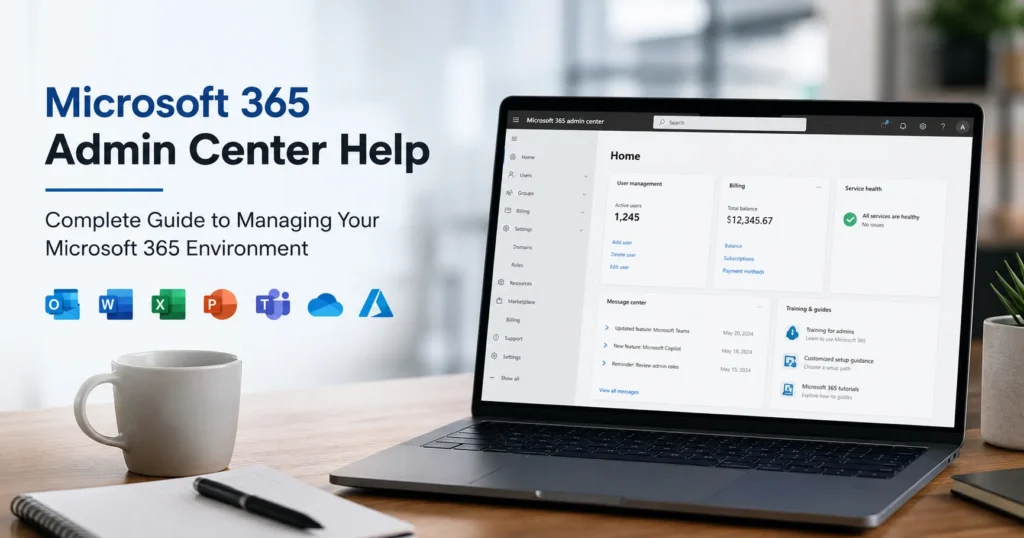
The Microsoft 365 Admin Center is the central management portal for Microsoft 365 services, allowing administrators to manage users, licenses, security settings, devices, subscriptions, and cloud services from a single interface. Whether you’re a small business owner or an enterprise IT administrator, understanding how to use the Microsoft 365 Admin Center effectively is essential for maintaining productivity, security, and compliance.
However, many organizations encounter challenges while configuring settings, assigning licenses, troubleshooting user issues, managing domains, or implementing security controls. This is where Microsoft 365 Admin Center Help becomes valuable.
In this comprehensive guide, we’ll cover everything you need to know about the Microsoft 365 Admin Center, common administration challenges, troubleshooting tips, and best practices for managing your Microsoft 365 environment.
What is Microsoft 365 Admin Center?
The Microsoft 365 Admin Center is a web-based portal that allows administrators to manage all aspects of a Microsoft 365 tenant.
Administrators can use it to:
- Create and manage users
- Assign licenses
- Manage subscriptions
- Configure security settings
- Add custom domains
- Monitor service health
- Manage billing
- Configure Microsoft Teams
- Manage Exchange Online
- Control SharePoint settings
- Configure OneDrive policies
The portal serves as the command center for Microsoft 365 administration.
Why the Microsoft 365 Admin Center is Important
Without proper administration, organizations may experience:
- User access issues
- Security vulnerabilities
- License mismanagement
- Compliance failures
- Service disruptions
The Admin Center provides visibility and control over business-critical services.
Benefits include:
- Centralized Management
- Improved Security
- Better Compliance
- Enhanced Productivity
- Simplified User Administration
Key Features of Microsoft 365 Admin Center
User Management
Administrators can:
- Create users
- Edit profiles
- Reset passwords
- Disable accounts
- Delete users
- Manage user roles
User management is one of the most commonly used features within the portal.
License Management
Organizations can assign and manage licenses including:
- Microsoft 365 Business Basic
- Microsoft 365 Business Standard
- Microsoft 365 Business Premium
- Microsoft 365 E3
- Microsoft 365 E5
Administrators can monitor license usage and availability.
Domain Management
Custom business domains can be added and verified.
Examples include:
- company.com
- business.org
- enterprise.net
Domain management includes:
- DNS verification
- MX records
- SPF configuration
- DKIM setup
Security Management
Security controls available include:
- Multi-Factor Authentication (MFA)
- Conditional Access
- Password Policies
- Identity Protection
- Threat Monitoring
These settings help protect organizational resources.
Service Health Monitoring
Microsoft provides real-time updates regarding:
- Service outages
- Performance issues
- Planned maintenance
- Incident reports
Administrators can quickly identify platform-related problems.
Billing and Subscription Management
Administrators can:
- View invoices
- Renew subscriptions
- Purchase licenses
- Upgrade plans
- Manage payment methods
Common Microsoft 365 Admin Center Issues
Unable to Access Admin Center
Possible causes:
- Incorrect credentials
- Insufficient permissions
- Browser issues
- Account restrictions
Solutions include:
- Verifying Global Admin access
- Resetting passwords
- Clearing browser cache
User Cannot Sign In
Common reasons include:
- Incorrect password
- Disabled account
- Expired credentials
- MFA issues
Administrators can reset user access directly from the Admin Center.
License Assignment Errors
Organizations may encounter:
- Insufficient licenses
- License conflicts
- Synchronization problems
Proper license auditing helps resolve these issues.
Domain Verification Failures
Domain setup problems may occur because of:
- Incorrect DNS records
- Propagation delays
- Verification mismatches
Checking DNS settings usually resolves the issue.
Microsoft Teams Administration Problems
Common issues include:
- Teams creation restrictions
- Policy configuration errors
- Meeting settings problems
- External access issues
Many of these settings can be managed through the Teams Admin Center.
Managing Users in Microsoft 365 Admin Center
User administration is a core responsibility.
Tasks include:
Creating New Users
Administrators can:
- Assign usernames
- Create passwords
- Allocate licenses
- Configure roles
Password Reset
When users forget passwords:
- Locate the user account
- Select Reset Password
- Generate a temporary password
- Require password change at next sign-in
Role Management
Administrative roles include:
- Global Administrator
- User Administrator
- Billing Administrator
- Security Administrator
- Exchange Administrator
Role-based access improves security.
Microsoft 365 License Management Best Practices
To optimize licensing:
Review Unused Licenses
Remove licenses from inactive users.
Assign Appropriate Plans
Avoid overspending on unnecessary features.
Monitor Consumption
Regular audits help reduce costs.
Security Settings in Microsoft 365 Admin Center
Multi-Factor Authentication
MFA should be enabled for all users.
Benefits include:
- Improved account security
- Reduced compromise risk
- Compliance support
Password Policies
Recommended practices:
- Strong passwords
- Password expiration reviews
- Blocked password lists
Conditional Access
Policies can restrict access based on:
- Location
- Device Status
- Risk Level
- User Group
Security Alerts
Administrators should regularly review:
- Login attempts
- Risk detections
- Suspicious activities
- Security incidents
Microsoft 365 Admin Center for Small Businesses
Small businesses often manage Microsoft 365 internally.
The Admin Center helps with:
- User onboarding
- Security setup
- License management
- Email administration
Even organizations without dedicated IT staff can efficiently manage Microsoft 365.
Microsoft 365 Admin Center for Enterprises
Large organizations require advanced administration.
Enterprise management may involve:
- Multiple Administrators
- Hybrid Environments
- Compliance Controls
- Identity Management
- Security Operations
The Admin Center serves as the foundation for enterprise administration.
Microsoft 365 Admin Center Troubleshooting Tips
Clear Browser Cache
Many portal issues are resolved by clearing cached files.
Use Supported Browsers
Recommended browsers include:
- Microsoft Edge
- Google Chrome
- Mozilla Firefox
Check Service Health
Before troubleshooting, verify whether Microsoft is experiencing outages.
Verify Permissions
Many administrative tasks require specific roles.
Review Audit Logs
Audit logs provide valuable insight into changes and activities.
Benefits of Professional Microsoft 365 Admin Center Help
Organizations often seek expert assistance for:
Faster Issue Resolution
Experienced administrators quickly diagnose and fix problems.
Improved Security
Experts implement best-practice security controls.
Better Compliance
Ensure adherence to regulatory requirements.
Reduced Downtime
Prompt troubleshooting minimizes business disruptions.
Ongoing Support
Receive assistance whenever issues arise.
Signs You Need Microsoft 365 Admin Center Help
You may benefit from professional support if:
- Users cannot access Microsoft 365 services.
- Security alerts are increasing.
- License management is becoming difficult.
- Domain configuration issues persist.
- Microsoft Teams administration is complex.
- Internal IT resources are limited.
Future of Microsoft 365 Administration
Microsoft continues enhancing the Admin Center with:
- AI-powered insights
- Automated recommendations
- Advanced security analytics
- Improved compliance tools
- Enhanced reporting capabilities
Organizations that stay updated can take advantage of these innovations to improve efficiency and security.
Conclusion
The Microsoft 365 Admin Center is the heart of Microsoft 365 administration, providing organizations with the tools needed to manage users, licenses, security, domains, subscriptions, and cloud services. While the platform is powerful, administrators often encounter configuration challenges, security concerns, and operational complexities.
Professional Microsoft 365 Admin Center Help ensures that organizations can efficiently manage their environments, resolve issues quickly, strengthen security, and maintain business continuity. Whether you’re managing a small business tenant or a large enterprise deployment, expert guidance can help you maximize the value of your Microsoft 365 investment while reducing administrative burden and risk.