
Introduction
QuickBooks is one of the most widely used accounting solutions for businesses, accountants, and bookkeepers. However, users occasionally encounter technical issues that prevent the software from launching or functioning correctly. One of the most common startup-related problems is QuickBooks Error 80029C4A.
This error typically appears when QuickBooks attempts to load a Dynamic Link Library (DLL) file but cannot access it due to corruption, missing components, damaged installation files, antivirus interference, or Windows-related issues.
The error may stop QuickBooks from opening entirely and can disrupt accounting workflows, payroll processing, invoicing, reporting, and company file access.
This comprehensive guide explains everything you need to know about QuickBooks Error 80029C4A, including causes, symptoms, troubleshooting methods, advanced fixes, prevention strategies, and best practices.
What Is QuickBooks Error 80029C4A?
QuickBooks Error 80029C4A generally occurs when QuickBooks Desktop fails to initialize one or more program files during startup.
Users often see messages such as:
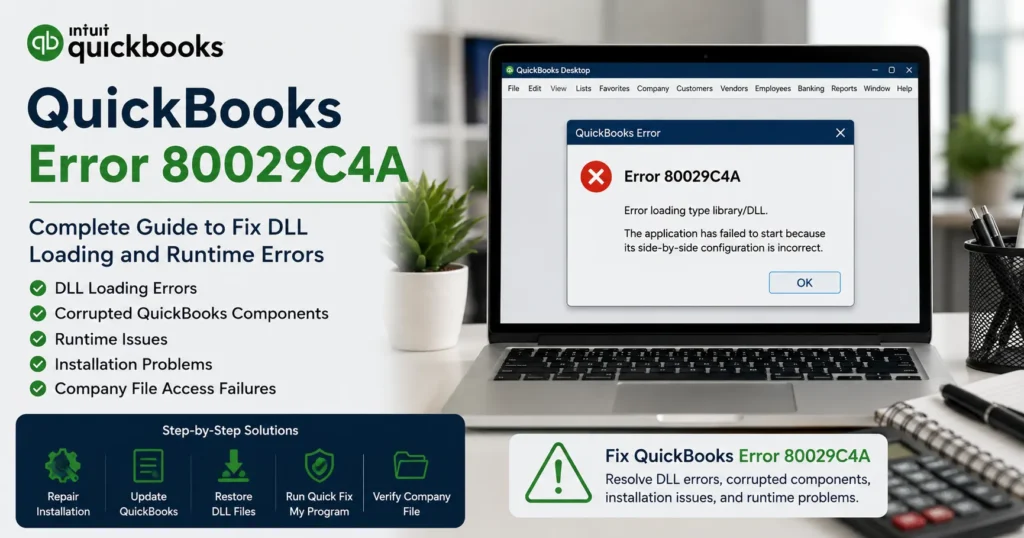
Error Code 80029C4A – Error Loading Type Library/DLL
or
Problem loading QuickBooks system components.
or
Error loading DLL.
The issue usually indicates that QuickBooks cannot access a required program component.
Understanding DLL Files
DLL stands for:
Dynamic Link Library
These files contain code and resources used by software applications.
QuickBooks relies on multiple DLL files for:
- Program startup
- Payroll processing
- Company file access
- Reporting functions
- Database communication
- Printing operations
If these files become damaged or inaccessible, Error 80029C4A may occur.
Symptoms of QuickBooks Error 80029C4A
The error may appear in several ways.
QuickBooks Fails to Open
The program closes immediately after launch.
Startup Error Messages
Error 80029C4A appears every time QuickBooks starts.
Company Files Cannot Be Accessed
Users may be unable to open company data.
Slow Performance
QuickBooks may become sluggish or unresponsive.
Frequent Freezing
The application may freeze during startup.
Missing Program Features
Certain QuickBooks functions stop working.
Common Causes of QuickBooks Error 80029C4A
Several factors can trigger this error.
1. Corrupted QuickBooks Installation
Damaged installation files are among the most common causes.
Incomplete updates can corrupt DLL files.
2. Antivirus Software Quarantine
Security programs may incorrectly identify QuickBooks files as threats.
When quarantined:
- DLL files disappear
- Program components become inaccessible
3. Incomplete QuickBooks Updates
Interrupted updates may leave QuickBooks in an unstable state.
4. Windows Registry Corruption
Invalid registry entries can prevent QuickBooks from locating required files.
5. Damaged System Files
Windows system file corruption may interfere with QuickBooks functionality.
6. Missing Program Components
Essential QuickBooks files may be deleted accidentally.
7. Malware Infection
Malicious software can damage QuickBooks installation files.
How Error 80029C4A Impacts Businesses
This error can significantly disrupt operations.
Potential consequences include:
- Inability to access accounting records
- Delayed payroll processing
- Interrupted invoicing
- Financial reporting issues
- Productivity losses
- Increased downtime
Solution 1: Update QuickBooks Desktop
The simplest fix is updating QuickBooks.
Steps
- Open QuickBooks.
- Select:
Help
- Choose:
Update QuickBooks Desktop
- Click:
Update Now
- Install available updates.
Restart the computer afterward.
Solution 2: Run QuickBooks as Administrator
Administrative permissions may resolve component loading problems.
Steps
- Close QuickBooks.
- Right-click QuickBooks icon.
- Select:
Run as Administrator
- Attempt to open QuickBooks again.
Solution 3: Repair QuickBooks Installation
Repairing QuickBooks often restores missing DLL files.
Steps
- Open Control Panel.
- Select Programs and Features.
- Locate QuickBooks.
- Click:
Uninstall/Change
- Select:
Repair
- Complete the repair wizard.
Restart Windows.
Solution 4: Restore Quarantined Files
Antivirus software may have quarantined QuickBooks components.
Steps
- Open antivirus software.
- Review quarantine history.
- Locate QuickBooks-related files.
- Restore affected files.
- Add QuickBooks folders to exclusions.
Restart QuickBooks afterward.
Solution 5: Run Quick Fix My Program
QuickBooks Tool Hub includes automatic repair utilities.
Steps
- Download Tool Hub.
- Open Tool Hub.
- Select:
Program Problems
- Run:
Quick Fix My Program
- Wait for completion.
Launch QuickBooks again.
Solution 6: Use QuickBooks Install Diagnostic Tool
Installation corruption frequently causes Error 80029C4A.
Steps
- Open Tool Hub.
- Select:
Installation Issues
- Run:
QuickBooks Install Diagnostic Tool
- Allow the scan to finish.
Restart Windows.
Solution 7: Re-register DLL Files
Sometimes DLL registration becomes damaged.
Example Command
Open Command Prompt as Administrator:
regsvr32 filename.dll
Repeat for affected DLL files if identified.
Solution 8: Run System File Checker
Windows file corruption can contribute to QuickBooks issues.
Steps
Open Command Prompt:
sfc /scannow
Allow the scan to complete.
Restart the computer.
Solution 9: Perform a Clean Install of QuickBooks
A clean reinstall often resolves severe corruption.
Process
- Uninstall QuickBooks.
- Rename installation folders.
- Reinstall QuickBooks.
- Apply updates.
- Restore company files.
This rebuilds damaged program components.
Solution 10: Update Windows
Outdated Windows components may trigger compatibility problems.
Install:
- Security updates
- .NET Framework updates
- Visual C++ Redistributables
- Windows patches
Restart the system after updating.
Advanced Troubleshooting
For persistent cases, deeper investigation may be required.
Check Event Viewer
Review:
Windows Logs
Application
Look for QuickBooks-related errors.
Verify User Permissions
Ensure users have:
- Administrator rights
- Full folder access
- Program execution permissions
Scan for Malware
Run:
- Windows Defender
- Malware scanning tools
- Full system scans
Remove detected threats.
Verify QuickBooks Program Files
Check installation directories for:
QBW32.exe
QBDBMgrN.exe
QBUpdate.exe
Missing files may indicate corruption.
Check Hard Drive Health
Bad sectors can damage program files.
Run:
chkdsk /f
to verify disk integrity.
Preventing QuickBooks Error 80029C4A
Preventive maintenance reduces future issues.
Keep QuickBooks Updated
Install updates promptly.
Configure Antivirus Properly
Whitelist QuickBooks folders.
Avoid false-positive quarantines.
Perform Regular Backups
Maintain:
- Company file backups
- System backups
- External storage copies
Monitor Windows Health
Install:
- Security patches
- Driver updates
- System updates
Use Reliable Hardware
Faulty drives often contribute to file corruption.
Best Practices for QuickBooks Stability
Schedule Maintenance
Regular system cleanup helps prevent software issues.
Verify Company Files
Use QuickBooks verification tools periodically.
Protect Against Malware
Maintain updated security software.
Monitor System Resources
Ensure sufficient:
- RAM
- Storage
- Processing power
Frequently Asked Questions
What does QuickBooks Error 80029C4A mean?
It indicates that QuickBooks cannot load one or more required DLL files or program components during startup.
Can antivirus software cause Error 80029C4A?
Yes. Antivirus programs frequently quarantine QuickBooks files, leading to missing DLL components.
Does repairing QuickBooks fix Error 80029C4A?
In many cases, yes. Repairing QuickBooks restores damaged program files and DLL registrations.
Is QuickBooks Tool Hub useful?
Yes. Quick Fix My Program and Install Diagnostic Tool can resolve many installation-related causes.
Will I lose my company data?
No. Repairing or reinstalling QuickBooks usually does not affect company files. Nevertheless, creating backups beforehand is strongly recommended.
Conclusion
QuickBooks Error 80029C4A is primarily caused by corrupted DLL files, damaged program components, antivirus interference, incomplete updates, or Windows system issues. Although the error can prevent QuickBooks from launching and disrupt daily accounting operations, it is usually fixable through structured troubleshooting.
By repairing QuickBooks, restoring quarantined files, running QuickBooks Tool Hub utilities, updating Windows, verifying system health, and maintaining proper antivirus configurations, most users can successfully eliminate Error 80029C4A and restore normal QuickBooks functionality.
Regular maintenance, proactive updates, and consistent backups remain the best long-term strategies for preventing DLL-related QuickBooks errors and ensuring uninterrupted business operations.