
Introduction
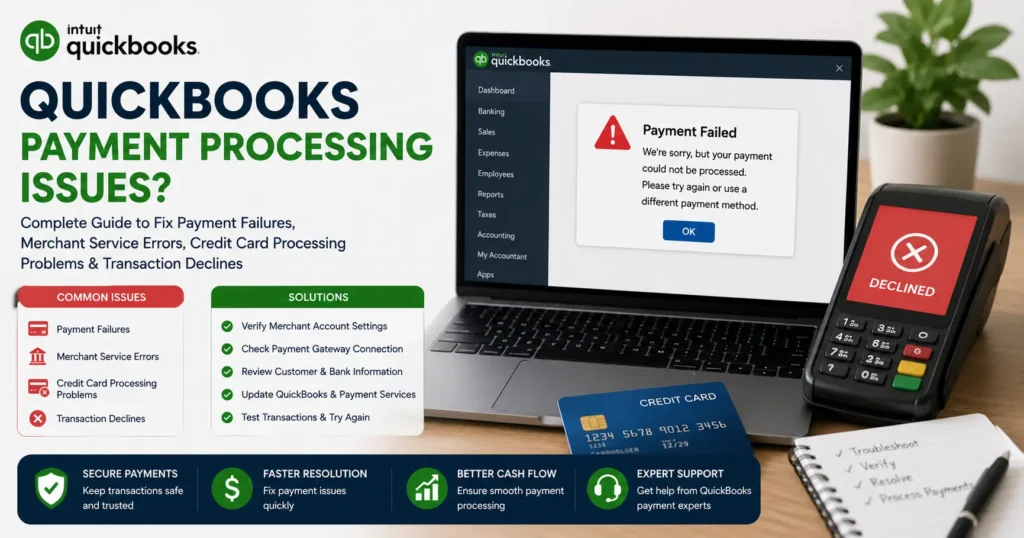
QuickBooks is one of the most trusted accounting platforms for small businesses, freelancers, and enterprises worldwide. One of its most valuable features is the ability to process customer payments directly through QuickBooks Payments. Businesses can accept credit cards, debit cards, ACH bank transfers, online invoices, and digital payments without relying on multiple systems.
However, payment processing issues can disrupt cash flow, delay customer payments, create reconciliation problems, and negatively affect business operations. Whether you’re experiencing declined transactions, merchant account errors, payment deposits not showing up, invoice payment failures, or QuickBooks Payments service interruptions, these issues require immediate attention.
This comprehensive guide explains the most common QuickBooks payment processing problems, their causes, troubleshooting methods, and best practices for preventing future payment disruptions.
What Are QuickBooks Payment Processing Issues?
Payment processing issues occur when QuickBooks cannot successfully complete, authorize, record, or deposit customer payments.
These issues may involve:
- Credit card transaction failures
- ACH payment errors
- Merchant account problems
- Payment gateway issues
- Deposit delays
- Invoice payment failures
- Authorization declines
- Processing interruptions
- Banking connection problems
Such errors can occur in both QuickBooks Online and QuickBooks Desktop with QuickBooks Payments enabled.
Common Signs of QuickBooks Payment Processing Problems
Businesses typically notice one or more of the following symptoms:
Customer Payments Fail
Customers receive error messages when attempting payment.
Declined Credit Cards
Valid cards may unexpectedly decline.
Missing Deposits
Payments are processed but never appear in the business bank account.
Processing Delays
Transactions remain pending for extended periods.
Merchant Service Errors
QuickBooks displays merchant account warnings.
Duplicate Transactions
Multiple payment entries appear for the same customer payment.
ACH Payment Failures
Bank transfer transactions fail to process.
Invoice Payment Problems
Customers cannot complete invoice payments online.
Why Do QuickBooks Payment Processing Issues Occur?
Several factors can interrupt payment processing.
1. Expired Credit Card Information
Customers may attempt payments using:
- Expired cards
- Closed accounts
- Incorrect card numbers
The transaction authorization fails immediately.
2. Insufficient Funds
Banks may decline payments due to:
- Low account balances
- Spending limits
- Temporary restrictions
This commonly affects debit card and ACH transactions.
3. Merchant Account Restrictions
QuickBooks Payments accounts may face temporary limitations due to:
- Suspicious activity
- Compliance reviews
- Identity verification requirements
- Risk assessments
These restrictions can delay processing.
4. Banking Network Outages
Payment processors rely on multiple financial networks.
Temporary outages may affect:
- Card authorizations
- ACH transfers
- Deposit transmissions
5. Internet Connectivity Problems
Unstable internet connections may interrupt payment authorization requests.
Common causes include:
- Slow networks
- Packet loss
- VPN conflicts
- Firewall restrictions
6. Outdated QuickBooks Software
Older versions of QuickBooks may contain:
- Security vulnerabilities
- Payment bugs
- Compatibility issues
Software updates frequently resolve payment-related problems.
7. Incorrect Merchant Account Settings
Configuration errors may occur when:
- Merchant accounts are disconnected
- Deposit settings change
- Banking information becomes outdated
Common QuickBooks Payment Processing Errors
Users frequently encounter specific payment-related errors.
Error: Payment Authorization Failed
The customer’s bank declines authorization.
Possible causes:
- Invalid card information
- Fraud protection triggers
- Card restrictions
Error: Merchant Service Unavailable
QuickBooks cannot communicate with payment servers.
Potential causes:
- Service outages
- Network interruptions
- Server maintenance
Error: Deposit Not Received
Payments process successfully but deposits never appear.
This may result from:
- Banking delays
- Deposit holds
- Incorrect account settings
Error: ACH Transaction Failed
Bank transfer payments cannot complete.
Common causes include:
- Incorrect routing numbers
- Insufficient funds
- Closed accounts
Error: Payment Method Invalid
Customer payment details fail validation.
This often involves:
- Incorrect card numbers
- Invalid expiration dates
- Verification failures
How to Fix QuickBooks Payment Processing Issues
Follow these troubleshooting methods carefully.
Solution 1: Verify QuickBooks Payment Service Status
Before troubleshooting locally:
- Check QuickBooks service status
- Review maintenance notifications
- Confirm payment servers are operational
System outages may require waiting until service restoration.
Solution 2: Verify Customer Payment Information
Confirm the customer entered:
- Correct card number
- Valid expiration date
- Accurate CVV code
- Correct billing address
Even minor errors may trigger payment declines.
Solution 3: Update QuickBooks
Outdated software often contributes to processing failures.
Update QuickBooks Desktop
- Open QuickBooks.
- Select Help.
- Click Update QuickBooks Desktop.
- Install available updates.
- Restart the software.
QuickBooks Online
Updates occur automatically through the cloud platform.
Solution 4: Verify Merchant Account Connection
Review QuickBooks Payments settings.
Check:
- Merchant account status
- Login credentials
- Connected bank account
- Deposit configuration
Reconnect the merchant account if necessary.
Solution 5: Review Merchant Center Notifications
Open the Merchant Service Center.
Look for:
- Verification requests
- Compliance notices
- Security alerts
- Account restrictions
Resolve all outstanding requirements.
Solution 6: Verify Banking Information
Incorrect banking details can delay deposits.
Confirm:
- Routing number
- Account number
- Account type
Update outdated banking information immediately.
Solution 7: Check Internet Connectivity
Payment authorization requires a stable connection.
Test:
- Download speed
- Upload speed
- Latency
- Packet loss
Switch networks if connectivity issues exist.
Solution 8: Disable VPN Services
VPNs occasionally interfere with payment processing.
Temporarily disable:
- VPN applications
- Proxy servers
- Network filters
Attempt the transaction again.
Solution 9: Review Firewall Settings
Firewalls may block payment communication.
Check:
- Windows Firewall
- Antivirus software
- Network security applications
Create exceptions for QuickBooks if necessary.
Solution 10: Retry Payment Processing
Temporary interruptions sometimes resolve automatically.
Wait several minutes before retrying the transaction.
Avoid repeated submissions that may create duplicate charges.
How to Fix Missing Deposits
A common concern involves successful payments without deposits appearing.
Understand Deposit Timing
Deposit schedules vary.
Typical processing times:
Credit Cards
1–3 business days
ACH Transfers
3–7 business days
New Merchant Accounts
Additional review periods may apply.
Review Deposit History
Check:
- Payment date
- Deposit status
- Batch information
- Processing reports
The transaction may still be pending.
Verify Deposit Account
Ensure deposits are directed to the correct bank account.
Many issues result from outdated banking information.
How to Fix Invoice Payment Problems
Customers occasionally cannot pay invoices online.
Common causes include:
- Expired payment links
- Browser issues
- Payment gateway interruptions
- Security verification failures
Solutions:
- Resend invoice
- Generate a new payment link
- Verify customer browser compatibility
- Confirm merchant account functionality
How to Fix ACH Payment Failures
ACH transactions require accurate banking information.
Verify:
- Account number
- Routing number
- Account ownership
- Available funds
ACH transactions typically require additional processing time.
QuickBooks Online Payment Issues
Online users frequently encounter:
Browser Cache Problems
Clear:
- Cache
- Cookies
- Site data
Browser Compatibility Issues
Use supported browsers:
- Chrome
- Edge
- Firefox
- Safari
Extension Conflicts
Disable:
- Ad blockers
- Security plugins
- Script blockers
QuickBooks Desktop Payment Issues
Desktop users often face:
Merchant Service Configuration Problems
Verify:
- Merchant credentials
- Service connection
- Banking setup
Outdated Program Components
Install all available updates.
Network Restrictions
Check:
- Firewall rules
- Antivirus settings
- Internet permissions
Preventing Future Payment Processing Issues
Businesses can reduce disruptions by following best practices.
Keep QuickBooks Updated
Regular updates improve:
- Security
- Stability
- Payment reliability
Monitor Merchant Account Notifications
Review alerts regularly to avoid compliance-related restrictions.
Verify Customer Information
Encourage customers to review payment details before submission.
Reconcile Deposits Frequently
Monitor deposits daily.
Early detection prevents accounting discrepancies.
Maintain Secure Banking Information
Update banking details whenever:
- Accounts change
- Banks merge
- Routing numbers change
Maintain Reliable Internet Connectivity
Stable internet supports uninterrupted payment processing.
Frequently Asked Questions
Why are my QuickBooks payments being declined?
Common causes include incorrect card information, insufficient funds, bank restrictions, or fraud prevention measures.
Why is my payment processed but not deposited?
Deposits may require several business days depending on the payment method and account review status.
How long do QuickBooks Payments deposits take?
Credit card payments usually take 1–3 business days, while ACH transactions may require 3–7 business days.
Can QuickBooks Payments experience outages?
Yes. Temporary maintenance and service interruptions occasionally affect payment processing.
Why can’t customers pay my invoices?
Possible causes include payment gateway issues, expired links, browser problems, or merchant account restrictions.
When to Contact QuickBooks Support
Contact support if:
- Payments repeatedly fail
- Deposits remain missing beyond expected timeframes
- Merchant account restrictions persist
- ACH transfers continuously fail
- Duplicate charges occur
- Invoice payment links stop functioning
Professional support can investigate account-specific payment processing issues.
Conclusion
QuickBooks payment processing issues can significantly impact cash flow, customer satisfaction, and business operations. Problems such as declined transactions, ACH failures, merchant account restrictions, deposit delays, and invoice payment errors often stem from configuration issues, banking restrictions, internet connectivity problems, outdated software, or security verification requirements.
By updating QuickBooks, verifying merchant account settings, reviewing customer payment information, maintaining reliable internet access, and monitoring deposit activity, businesses can resolve most payment processing issues quickly and efficiently.
Regular maintenance, proactive monitoring, and prompt troubleshooting will help ensure smooth payment acceptance, accurate accounting records, and uninterrupted business operations.