
Introduction
Managing payment information is an essential part of maintaining uninterrupted access to QuickBooks services. Whether you use QuickBooks Online, QuickBooks Desktop, Payroll, Payments, Time Tracking, or Enterprise solutions, keeping your billing information updated helps ensure continuous service, successful subscription renewals, and smooth financial operations.
Many QuickBooks users experience issues related to expired credit cards, declined payments, incorrect billing details, subscription interruptions, and failed automatic renewals. These problems often occur because payment methods are outdated or no longer valid. Fortunately, updating your payment method is a straightforward process that can help avoid service disruptions and maintain access to critical accounting features.
This comprehensive guide explains everything you need to know about updating payment methods in QuickBooks, including why it is important, common billing problems, step-by-step update procedures, troubleshooting tips, and best practices for account security.
What Is a Payment Method in QuickBooks?
A payment method refers to the financial account used to pay for QuickBooks products and services.
Common payment methods include:
- Credit cards
- Debit cards
- Bank accounts
- Electronic fund transfers
- Business payment accounts
QuickBooks uses these payment methods to process:
- Subscription renewals
- Payroll service charges
- Payment processing fees
- Add-on service fees
- Enterprise licensing costs
Maintaining accurate payment information ensures uninterrupted access to these services.
Why Updating Your Payment Method Is Important
Keeping payment details current provides several important benefits.
Prevents Subscription Interruptions
Expired cards are one of the most common causes of subscription failures.
Updating payment information helps prevent:
- Subscription suspension
- Account restrictions
- Service deactivation
Ensures Successful Automatic Renewals
Most QuickBooks subscriptions renew automatically.
Accurate payment information allows:
- Automatic billing
- Seamless renewals
- Continuous service access
Avoids Payroll Service Disruptions
Payroll subscriptions depend on successful billing.
Failed payments can interrupt:
- Direct deposits
- Tax calculations
- Payroll updates
- Employee compensation processing
Supports Payment Processing Services
Businesses using QuickBooks Payments need valid billing information to continue:
- Credit card processing
- ACH payments
- Customer invoice payments
Common Reasons to Update a Payment Method
Businesses update payment methods for various reasons.
Expired Credit Card
The most common reason is card expiration.
Financial institutions periodically issue replacement cards with:
- New expiration dates
- New security codes
New Business Bank Account
Companies often switch banks or create new accounts.
Updated banking information ensures future payments process correctly.
Lost or Stolen Card
Replacing compromised cards requires updating QuickBooks billing information immediately.
Company Ownership Changes
Business restructuring may require updating:
- Payment methods
- Billing contacts
- Financial authorization details
Enhanced Security
Some businesses periodically replace payment methods as part of security policies.
Signs Your Payment Method Needs Updating
Several warning signs indicate payment information may need attention.
Common indicators include:
- Payment declined messages
- Subscription renewal failures
- Billing notifications
- Payroll service interruptions
- Failed automatic charges
- Account suspension notices
Users may also receive email alerts requesting updated payment details.
Services Affected by Outdated Payment Methods
An outdated payment method can impact multiple QuickBooks services.
QuickBooks Online
Potential effects include:
- Account restrictions
- Subscription suspension
- Limited access
QuickBooks Desktop Plus
Users may experience:
- Renewal failures
- Licensing issues
- Update service interruptions
QuickBooks Payroll
Payroll services may stop processing:
- Tax updates
- Direct deposits
- Payroll calculations
QuickBooks Payments
Merchants may encounter:
- Payment processing interruptions
- Customer transaction issues
- Delayed fund transfers
QuickBooks Time
Time tracking subscriptions may become inactive if billing fails.
How QuickBooks Billing Works
Understanding QuickBooks billing helps users manage payment methods effectively.
The billing process generally follows:
- Subscription renewal date approaches.
- QuickBooks initiates payment authorization.
- Financial institution verifies funds and account status.
- Payment is processed.
- Services remain active.
Any interruption in this sequence can trigger billing issues.
How to Update Payment Method in QuickBooks Online
Updating billing information is generally completed through account settings.
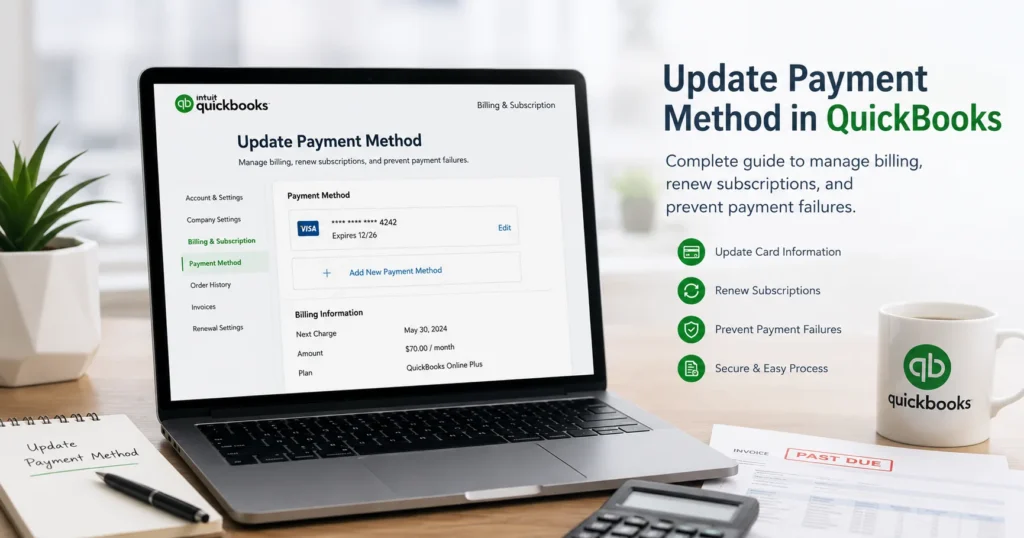
Step 1: Sign In
Log into QuickBooks Online using administrator credentials.
Step 2: Open Account Settings
Navigate to:
Settings → Account and Settings
Step 3: Access Billing & Subscription
Review:
- Active subscriptions
- Payment details
- Billing schedules
Step 4: Select Payment Method
Locate the current payment method.
Choose:
- Edit
- Update
- Replace Payment Method
Step 5: Enter New Information
Provide:
- Cardholder name
- Card number
- Expiration date
- Security code
- Billing address
Or enter updated banking details if using a bank account.
Step 6: Save Changes
Review all information carefully before saving.
Updating Payment Information for QuickBooks Desktop
Desktop subscriptions often require updates through customer account management portals.
Typical steps include:
- Sign in to the customer account.
- Locate subscription management.
- Access billing settings.
- Replace payment information.
- Confirm changes.
Updated information should appear in account records shortly after processing.
Updating Payroll Billing Information
Payroll services often maintain separate billing structures.
Before updating:
Verify:
- Payroll subscription status
- Tax service status
- Direct deposit settings
Accurate billing details help prevent payroll disruptions.
Updating QuickBooks Payments Billing Information
Merchants using QuickBooks Payments should ensure billing details remain current.
Affected services include:
- Credit card transactions
- Online invoice payments
- ACH transfers
- Merchant account processing
Billing issues can delay customer payments and business cash flow.
Common Payment Method Update Errors
Users occasionally encounter problems while updating billing information.
Invalid Card Number
Causes include:
- Typographical errors
- Incorrect card information
- Expired cards
Address Verification Failure
Billing addresses must match records maintained by financial institutions.
Security Code Errors
Incorrect CVV numbers frequently trigger authorization failures.
Browser Issues
Cached data may interfere with billing pages.
Financial Institution Restrictions
Banks may block transactions due to:
- Fraud prevention
- Spending limits
- International transaction restrictions
Troubleshooting Payment Method Update Problems
Solution 1: Verify Information Carefully
Check:
- Card number
- Expiration date
- Security code
- Billing address
Even minor errors can prevent successful updates.
Solution 2: Contact Your Bank
Confirm:
- Account status
- Card activation
- Transaction authorization
Solution 3: Use Another Browser
Browser-related issues often resolve by switching browsers.
Solution 4: Clear Cache and Cookies
Removing stored browser data may eliminate billing page errors.
Solution 5: Disable Browser Extensions
Some security extensions interfere with payment processing forms.
Solution 6: Try Incognito Mode
Private browsing sessions often bypass cached data conflicts.
Security Best Practices When Updating Payment Information
Protecting financial information is critical.
Recommended practices include:
Use Secure Networks
Avoid updating billing information on public Wi-Fi.
Enable Multi-Factor Authentication
Additional authentication helps prevent unauthorized account access.
Monitor Billing Activity
Review statements regularly for unusual charges.
Update Contact Information
Ensure billing notifications reach authorized personnel.
Use Strong Passwords
Protect QuickBooks accounts with unique, secure passwords.
How Updated Payment Methods Affect Subscription Renewals
Once payment information is updated:
- Future renewals use the new payment method.
- Automatic billing resumes.
- Subscription interruptions become less likely.
Users should verify successful updates before renewal dates.
Preventing Future Billing Problems
Several strategies can reduce future payment issues.
Monitor Expiration Dates
Track card expiration dates and update information early.
Maintain Backup Payment Methods
Alternative payment options provide redundancy.
Review Billing Settings Regularly
Quarterly billing reviews help identify outdated information.
Verify Renewal Notifications
Pay attention to billing reminder emails.
Keep Financial Records Organized
Store billing confirmations and receipts securely.
Benefits of Maintaining Accurate Payment Information
Businesses that maintain current billing information enjoy:
- Continuous QuickBooks access
- Successful subscription renewals
- Reliable payroll processing
- Uninterrupted payment services
- Fewer account restrictions
- Improved financial management
Accurate billing information supports smooth business operations.
Frequently Asked Questions
Why was my QuickBooks payment declined?
Common causes include expired cards, insufficient funds, incorrect billing information, or bank authorization restrictions.
Can I use a bank account instead of a credit card?
Available payment methods depend on your subscription type and billing options.
Will updating my payment method affect existing subscriptions?
No. Existing subscriptions generally continue normally using the updated payment method.
How quickly does QuickBooks process payment updates?
Updates are often applied immediately, although verification may occasionally require additional time.
What happens if I don’t update an expired payment method?
Services may experience billing failures, subscription interruptions, payroll issues, and account restrictions.
Is it safe to update payment information online?
Yes, provided you use secure networks, enable account security features, and follow recommended cybersecurity practices.
Conclusion
Updating your payment method in QuickBooks is a simple yet essential task that helps maintain uninterrupted access to accounting, payroll, invoicing, reporting, banking, and payment processing services. Whether you’re replacing an expired credit card, updating banking information, enhancing security, or preparing for subscription renewal, keeping billing information accurate reduces the risk of service interruptions and payment failures.
By regularly reviewing billing settings, monitoring expiration dates, maintaining backup payment methods, and following security best practices, businesses can ensure smooth subscription management and uninterrupted access to critical QuickBooks features. Proactive payment management not only prevents billing problems but also supports long-term operational stability and financial efficiency.