
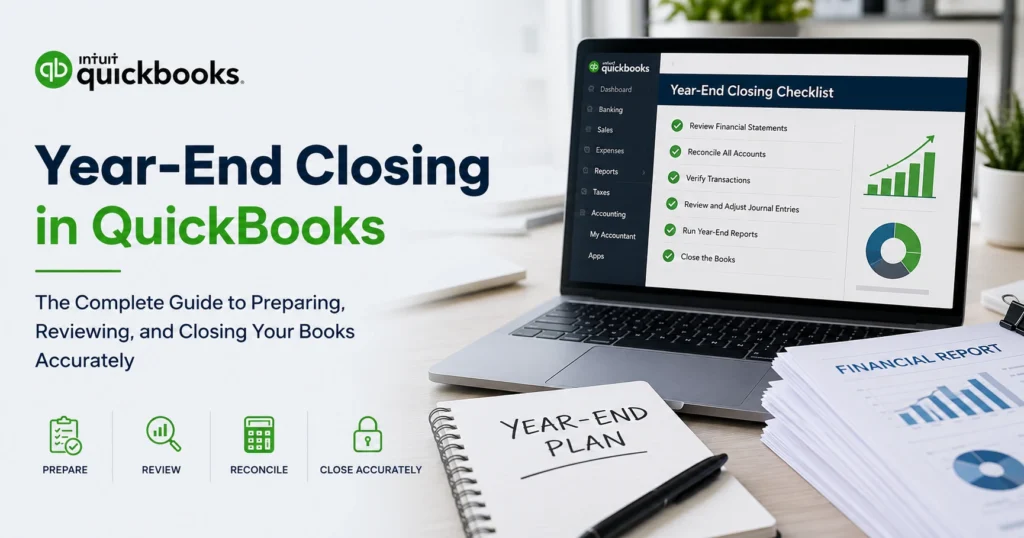
For businesses of all sizes, year-end closing is one of the most important accounting processes of the year. It ensures that financial records are accurate, complete, and ready for tax preparation, financial reporting, and strategic planning. If your business uses QuickBooks, understanding the year-end closing process can help you avoid costly mistakes, improve reporting accuracy, and start the new fiscal year with confidence.
Many business owners mistakenly believe that year-end closing simply involves generating a few reports and moving into the next year. In reality, the process requires careful review of accounts, reconciliation of transactions, verification of financial data, and preparation of important tax documents. A proper year-end closing in QuickBooks helps maintain accurate records while providing valuable insights into your company’s financial performance.
This comprehensive guide explains everything you need to know about year-end closing in QuickBooks, including preparation steps, common mistakes, reconciliation procedures, reporting requirements, and best practices for maintaining accurate books.
What Is Year-End Closing in QuickBooks?
Year-end closing refers to the process of reviewing, adjusting, and finalizing a company’s financial records at the end of an accounting year. The objective is to ensure that all income, expenses, assets, liabilities, and equity accounts are accurately recorded before beginning a new fiscal period.
QuickBooks automatically handles many accounting functions, but business owners and accountants still need to perform several important year-end tasks to maintain accurate financial records.
The year-end closing process typically includes:
Reviewing financial statements
Reconciling bank accounts
Verifying transactions
Adjusting journal entries
Preparing tax records
Closing temporary accounts
Creating backups
Generating year-end reports
Completing these tasks helps ensure compliance, accuracy, and financial transparency.
Why Year-End Closing Is Important
A successful year-end closing process provides several benefits for businesses.
First, it ensures financial accuracy. Inaccurate records can lead to reporting errors, tax problems, and poor business decisions.
Second, it helps prepare tax returns. Accurate books simplify tax preparation and reduce the likelihood of filing errors.
Third, it provides valuable business insights. Year-end reports help owners evaluate profitability, cash flow, expenses, and overall financial health.
Finally, it supports future planning. Reliable financial data is essential for budgeting, forecasting, and strategic decision-making.
Businesses that neglect year-end closing often face unnecessary complications throughout the following year.
Understanding How QuickBooks Handles Year-End Closing
One of the advantages of QuickBooks is that it automatically manages many year-end accounting processes.
Unlike some accounting systems, QuickBooks does not require users to manually close income and expense accounts. Instead, the software automatically transfers net income into retained earnings at the beginning of a new fiscal year.
However, automation does not eliminate the need for careful review. Users must still verify data accuracy and complete important year-end procedures.
Understanding what QuickBooks handles automatically and what requires manual attention is essential for a successful close.
Preparing for Year-End Closing
Preparation is one of the most important steps in the year-end closing process.
Before making adjustments or generating reports, businesses should gather all necessary financial information.
Important documents include:
Bank statements
Credit card statements
Loan statements
Payroll records
Vendor invoices
Customer invoices
Tax documents
Asset records
Expense receipts
Having complete records available helps ensure that no transactions are overlooked.
Review and Reconcile Bank Accounts
Bank reconciliation is a critical component of year-end closing.
The goal is to ensure that QuickBooks records match actual bank balances.
When reconciling accounts, review:
Outstanding checks
Deposits in transit
Duplicate transactions
Missing entries
Bank fees
Interest income
Any discrepancies should be investigated and corrected before proceeding.
Accurate bank reconciliation provides confidence that financial records are reliable.
Reconcile Credit Card Accounts
Credit card reconciliations are equally important.
Review all credit card statements and compare them with transactions recorded in QuickBooks.
Look for:
Missing charges
Duplicate entries
Incorrect amounts
Unauthorized transactions
Unrecorded fees
Resolving discrepancies helps ensure that expenses are reported accurately.
Review Accounts Receivable
Accounts receivable represents money owed to your business by customers.
During year-end closing, review all outstanding invoices and customer balances.
Identify:
Overdue accounts
Uncollectible debts
Duplicate invoices
Incorrect balances
Businesses may need to write off certain bad debts or follow up on overdue payments before closing the books.
Accurate accounts receivable records improve financial reporting and cash flow management.
Review Accounts Payable
Accounts payable reflects amounts owed to vendors and suppliers.
Review vendor balances to ensure all bills have been recorded correctly.
Check for:
Outstanding invoices
Duplicate payments
Vendor credits
Missing bills
Payment discrepancies
Accurate accounts payable records help prevent future payment issues and support accurate financial reporting.
Verify Income Accounts
Revenue accounts should be reviewed carefully at year-end.
Confirm that:
Sales are recorded correctly
Income is categorized properly
Duplicate transactions are removed
Refunds are documented accurately
Revenue recognition is appropriate
Accurate income reporting is essential for both tax compliance and business analysis.
Review Expense Accounts
Expense reviews help identify inaccuracies and opportunities for improvement.
Analyze major expense categories and verify:
Proper classification
Duplicate entries
Missing expenses
Personal expenses recorded as business expenses
Incorrect account assignments
Clean expense records contribute to more meaningful financial reports.
Inventory Review and Adjustment
Businesses that manage inventory should perform a year-end inventory review.
Inventory counts should be compared against QuickBooks records.
Common issues include:
Inventory shrinkage
Damaged products
Obsolete inventory
Incorrect quantities
Pricing discrepancies
Adjustments may be necessary to reflect actual inventory values.
Accurate inventory reporting directly impacts profitability calculations.
Review Fixed Assets
Fixed assets such as equipment, vehicles, computers, and furniture should be reviewed annually.
Verify:
Asset purchases
Disposals
Depreciation calculations
Asset values
Ownership records
Accurate fixed asset records support tax compliance and financial statement accuracy.
Evaluate Payroll Records
Payroll reporting plays a significant role in year-end closing.
Review payroll information for:
Employee wages
Tax withholdings
Bonuses
Benefits
Retirement contributions
Payroll liabilities
Errors should be corrected before generating year-end tax forms and reports.
Generate Key Financial Reports
Financial reports provide valuable insight into company performance.
Important year-end reports include:
Profit and Loss Statement
Balance Sheet
Cash Flow Statement
Accounts Receivable Aging Report
Accounts Payable Aging Report
General Ledger Report
These reports help identify discrepancies and support strategic planning.
Adjust Journal Entries
Some transactions require year-end adjustments.
Examples include:
Accrued expenses
Prepaid expenses
Depreciation
Amortization
Inventory adjustments
Loan interest
Accountants often prepare adjusting journal entries to ensure accurate reporting.
All adjustments should be documented carefully.
Create a Backup of Your QuickBooks File
Before making major adjustments or closing procedures, create a backup of your QuickBooks file.
A backup provides protection against:
Data loss
Corruption
User errors
Unexpected system issues
Maintaining multiple backups is considered a best practice.
Set a Closing Date
QuickBooks allows users to establish a closing date to protect prior-year records.
Once a closing date is established, unauthorized modifications to historical transactions can be restricted.
Benefits include:
Improved data integrity
Reduced risk of accidental changes
Enhanced audit readiness
Stronger financial controls
Many businesses use password protection for additional security.
Common Year-End Closing Mistakes
Even experienced users sometimes make errors during year-end closing.
Common mistakes include:
Failing to reconcile accounts
Ignoring outstanding transactions
Missing adjusting entries
Not reviewing financial statements
Overlooking inventory discrepancies
Forgetting to create backups
Leaving duplicate transactions unresolved
Avoiding these mistakes helps ensure a smoother closing process.
Benefits of an Accurate Year-End Close
Businesses that complete year-end closing correctly enjoy numerous advantages.
These benefits include:
Improved financial accuracy
Simplified tax preparation
Enhanced compliance
Better budgeting
More informed decision-making
Stronger cash flow management
Increased confidence in reporting
A clean year-end close creates a strong foundation for future growth.
Working with an Accountant During Year-End Closing
Many businesses benefit from professional assistance during year-end closing.
Accountants can help with:
Financial review
Adjusting entries
Tax planning
Compliance requirements
Report analysis
Audit preparation
Their expertise often helps identify issues that might otherwise go unnoticed.
Best Practices for Year-End Closing in QuickBooks
Successful businesses follow a consistent year-end process.
Recommended best practices include:
Maintain accurate records throughout the year
Perform monthly reconciliations
Review reports regularly
Track supporting documentation
Use automated accounting features
Back up data frequently
Collaborate with accounting professionals
Implement internal controls
These habits make year-end closing faster and more efficient.
Preparing for the New Fiscal Year
Once the books are closed, businesses should prepare for the upcoming year.
Important tasks include:
Reviewing budgets
Setting financial goals
Updating accounting policies
Evaluating software settings
Planning tax strategies
Analyzing prior-year performance
The insights gained from year-end closing can help drive future success.
Conclusion
Year-End Closing in QuickBooks is much more than a routine accounting task. It is a critical process that ensures financial records are accurate, tax-ready, and useful for business decision-making. By reconciling accounts, reviewing transactions, generating reports, making necessary adjustments, and securing historical data, businesses can confidently close one year and begin the next on solid financial footing.
Whether you manage your own books or work with an accounting professional, following a structured year-end closing process in QuickBooks can improve accuracy, simplify compliance, and provide valuable insights into your company’s financial health. Investing time in a thorough year-end close today can prevent costly issues and support long-term business growth tomorrow.