
Introduction
For businesses that work with independent contractors, freelancers, consultants, attorneys, and vendors, filing 1099 forms is an essential part of tax compliance. Every year, thousands of businesses face challenges related to missing taxpayer information, incorrect vendor classifications, filing errors, deadline issues, and IRS penalties.
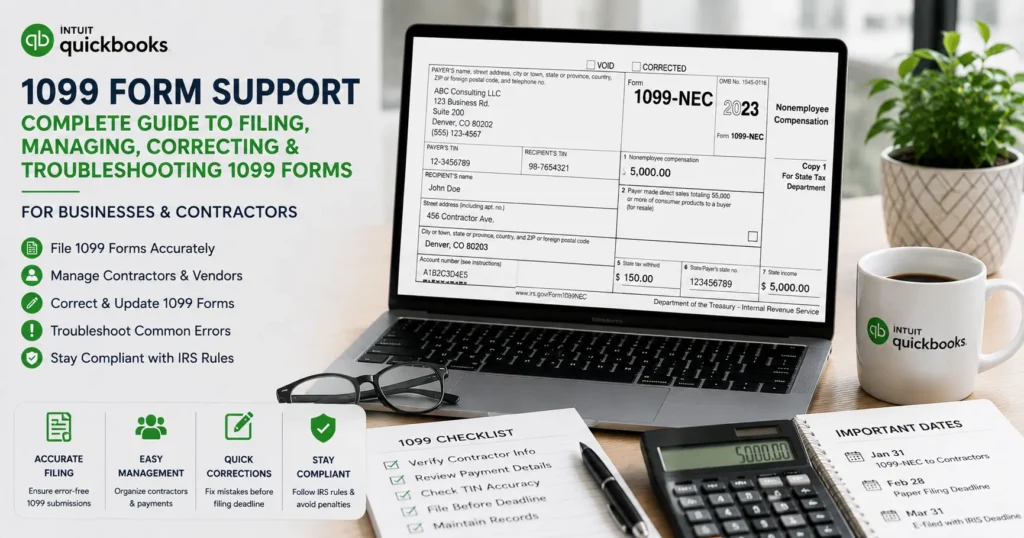
Whether you are a small business owner, accountant, bookkeeper, or QuickBooks user, understanding how 1099 forms work can save time, money, and frustration. This guide covers everything about 1099 Form Support, including preparation, filing requirements, common errors, troubleshooting, corrections, deadlines, and best practices.
What Is a 1099 Form?
A 1099 form is an information return used to report various types of income paid to non-employees.
Unlike employees who receive a W-2, independent contractors and vendors typically receive a 1099 form showing the payments made to them during the tax year.
The IRS uses these forms to track taxable income and ensure proper reporting.
Common recipients include:
- Freelancers
- Independent contractors
- Consultants
- Attorneys
- Designers
- Developers
- Marketing agencies
- Professional service providers
Types of 1099 Forms
Several versions of the 1099 form exist.
Form 1099-NEC
The 1099-NEC (Nonemployee Compensation) is the most common form used by businesses.
It reports:
- Independent contractor payments
- Freelancer payments
- Professional services
- Consulting fees
Businesses generally issue this form when payments exceed the IRS reporting threshold during the year.
Form 1099-MISC
Used for miscellaneous income such as:
- Rent payments
- Royalties
- Prize awards
- Legal settlements
- Other reportable income
Form 1099-INT
Used by banks and financial institutions to report interest income.
Form 1099-DIV
Reports dividends and distributions.
Form 1099-K
Used by payment processors and online platforms to report transaction activity.
Why 1099 Compliance Matters
Failure to properly file 1099 forms can lead to:
- IRS notices
- Tax audits
- Monetary penalties
- Contractor disputes
- Delayed tax filings
- Incorrect financial records
Proper compliance helps businesses:
- Maintain accurate accounting records
- Avoid penalties
- Improve vendor management
- Simplify tax reporting
- Ensure IRS compliance
Who Needs a 1099 Form?
Generally, businesses must evaluate vendors annually to determine reporting requirements.
You may need to issue a 1099 if:
- The worker is not an employee.
- Services were provided to your business.
- Payment exceeds reporting thresholds.
- Payment was made through approved methods.
- The vendor qualifies under IRS reporting guidelines.
Common 1099 Filing Challenges
Many businesses struggle with:
Missing W-9 Forms
Without a completed W-9, businesses often lack:
- Legal name
- Taxpayer Identification Number (TIN)
- Address
- Tax classification
This creates filing difficulties.
Incorrect Vendor Setup
A vendor may be incorrectly marked as:
- Corporation
- Individual
- LLC
- Sole Proprietor
This can cause reporting inaccuracies.
Duplicate Transactions
Duplicate payments can inflate annual totals and produce incorrect forms.
Incorrect Tax Identification Numbers
TIN mismatches frequently trigger IRS notices.
Missing Payments
Certain transactions may not appear in vendor reports, creating incomplete filings.
Understanding Form W-9
The W-9 form is critical for accurate 1099 preparation.
It provides:
- Vendor legal name
- Business name
- Federal tax classification
- Tax ID number
- Certification
Businesses should collect W-9 forms before issuing payments.
Steps to Prepare for 1099 Filing
Step 1: Review Vendor Records
Verify:
- Names
- Addresses
- Tax IDs
- Vendor types
Step 2: Verify Payment Totals
Review annual payment reports.
Confirm:
- Service payments
- Contractor expenses
- Professional fees
Step 3: Check Filing Requirements
Not all vendors require a 1099.
Review IRS guidelines before filing.
Step 4: Update Vendor Information
Correct:
- Missing addresses
- Incorrect names
- Tax classification errors
Step 5: Generate Reports
Prepare detailed vendor payment summaries.
QuickBooks and 1099 Form Support
QuickBooks simplifies the 1099 process through automated tracking and reporting.
Benefits include:
- Contractor management
- Vendor tracking
- Payment reporting
- Tax form preparation
- Electronic filing options
Setting Up Vendors for 1099 Tracking
When creating vendor records:
- Open Vendor Center.
- Create or edit vendor profile.
- Enable 1099 tracking.
- Enter tax information.
- Save changes.
Accurate setup ensures proper reporting later.
Mapping Accounts for 1099 Reporting
One of the most common filing problems involves incorrect account mapping.
Businesses should map:
- Professional fees
- Contractor expenses
- Consulting services
- Legal fees
Proper mapping ensures report accuracy.
Generating 1099 Reports
Before filing:
- Run vendor reports.
- Verify payment totals.
- Review exceptions.
- Correct discrepancies.
This step reduces filing errors significantly.
Common 1099 Errors and Solutions
Error: Vendor Not Appearing
Possible causes:
- 1099 tracking disabled
- Incorrect tax classification
- Missing vendor information
Solution
Update vendor settings and verify eligibility.
Error: Wrong Payment Amount
Possible causes:
- Duplicate transactions
- Missing entries
- Incorrect account mapping
Solution
Review transaction history and reconcile records.
Error: Missing Tax ID
Solution
Request an updated W-9 from the vendor.
Error: Filing Rejected
Possible causes:
- TIN mismatch
- Formatting issues
- Missing required information
Solution
Verify all filing details before resubmission.
Electronic Filing Benefits
Many businesses now choose electronic filing.
Advantages include:
- Faster processing
- Improved accuracy
- Reduced paperwork
- Confirmation tracking
- Secure submission
Electronic filing also helps reduce manual errors.
Correcting Filed 1099 Forms
Mistakes happen even after filing.
Common corrections include:
- Incorrect payment amounts
- Wrong TIN
- Vendor name errors
- Duplicate forms
Businesses should correct issues promptly.
How to Amend a 1099 Form
Step 1
Identify the error.
Step 2
Prepare corrected information.
Step 3
Mark the form as corrected.
Step 4
Submit updated information.
Step 5
Provide corrected copies to recipients.
Avoiding IRS Penalties
Businesses can reduce risks by:
- Filing on time
- Verifying contractor data
- Maintaining records
- Reviewing reports
- Performing annual audits
Preventive measures are less expensive than correcting penalties.
Recordkeeping Best Practices
Maintain:
- Vendor contracts
- W-9 forms
- Payment reports
- Invoices
- Filing confirmations
Keep records organized and accessible.
Contractor Payment Tracking
Accurate payment tracking improves:
- Tax reporting
- Financial planning
- Audit readiness
- Vendor relationships
Modern accounting software helps automate this process.
1099 Filing Deadlines
Businesses should monitor annual deadlines carefully.
Missing deadlines can result in:
- Late filing penalties
- Increased compliance risks
- IRS correspondence
Create internal schedules to avoid delays.
Best Practices for Businesses
Collect W-9 Forms Early
Never wait until year-end.
Verify Vendor Information Regularly
Review records throughout the year.
Reconcile Accounts Monthly
Monthly reviews reduce year-end surprises.
Use Accounting Software
Automation improves accuracy and efficiency.
Review Reports Before Filing
Conduct a final verification process.
Benefits of Professional 1099 Support
Professional assistance can help with:
- Vendor setup
- Tax form preparation
- Filing requirements
- Error corrections
- Compliance reviews
- Audit support
Businesses often save significant time by using expert support.
Frequently Asked Questions
What is a 1099 form used for?
A 1099 form reports certain types of income paid to non-employees and independent contractors.
Who receives a 1099 form?
Freelancers, consultants, contractors, and certain vendors may receive a 1099 depending on payment type and reporting requirements.
What happens if I file a 1099 late?
Late filing may result in IRS penalties and additional compliance issues.
Can I correct a filed 1099?
Yes. Corrected forms can be submitted when errors are discovered.
Why is my vendor missing from 1099 reports?
Common causes include incorrect vendor settings, missing tax information, or account mapping issues.
Can QuickBooks generate 1099 forms?
Yes. QuickBooks includes tools for tracking eligible vendors and preparing 1099 reports.
Conclusion
1099 compliance is a critical responsibility for businesses that pay contractors, freelancers, and service providers. Proper vendor setup, accurate recordkeeping, timely filing, and routine reviews can prevent costly penalties and reporting errors.
Whether you’re preparing your first filing season or managing hundreds of contractors, reliable 1099 Form Support helps ensure compliance, improve efficiency, and reduce administrative burdens. By implementing best practices, maintaining accurate records, and using tools such as QuickBooks for automation, businesses can simplify tax reporting and focus on growth with confidence.