
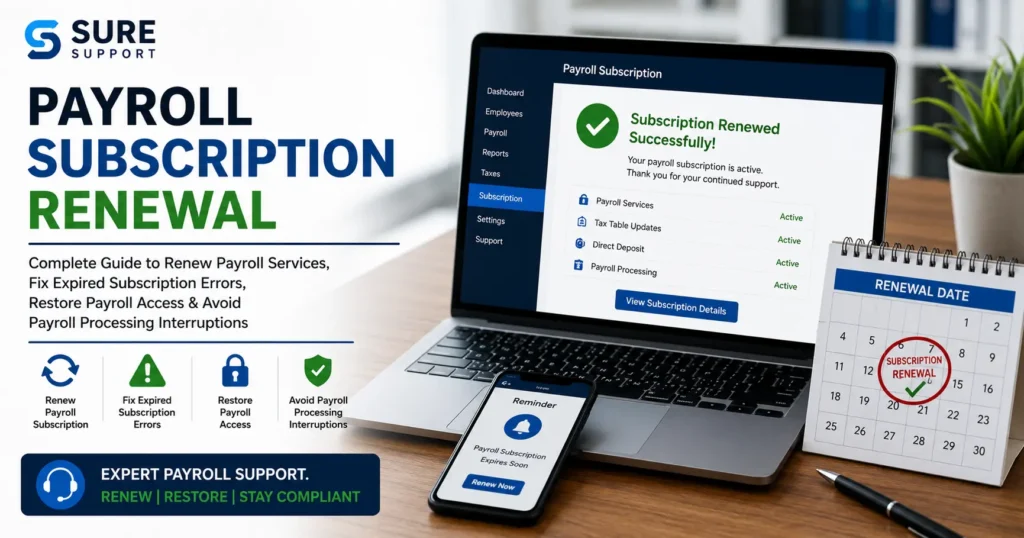
Payroll services are essential for businesses that need to pay employees accurately, file payroll taxes on time, and stay compliant with federal and state regulations. However, many businesses face problems when their payroll subscription expires, fails to renew, or becomes inactive. A payroll subscription renewal issue can prevent payroll processing, block tax table updates, stop direct deposits, and create compliance risks.
If you are experiencing payroll subscription renewal problems, this comprehensive guide explains the causes, symptoms, solutions, and best practices to restore payroll functionality quickly and prevent future interruptions.
What Is Payroll Subscription Renewal?
Payroll subscription renewal is the process of extending access to payroll services after the current subscription period ends. Payroll providers typically require businesses to maintain an active subscription to access features such as:
- Payroll processing
- Direct deposit services
- Payroll tax calculations
- Tax form generation
- Tax table updates
- Employee payment management
- Payroll compliance tools
- Payroll reporting
When a payroll subscription expires, these features may become unavailable until the subscription is renewed successfully.
Common Payroll Subscription Renewal Problems
Businesses frequently encounter the following issues during payroll subscription renewal:
1. Expired Payroll Subscription
The subscription reaches its expiration date without renewal.
2. Payment Processing Failure
The renewal payment is declined due to:
- Insufficient funds
- Expired credit card
- Incorrect billing information
- Bank authorization issues
3. Auto-Renewal Failure
Automatic renewal may fail because:
- Saved payment method is invalid
- Banking details changed
- Subscription settings were modified
4. Account Verification Issues
Some payroll systems require additional verification before renewal.
5. Payroll Service Deactivation
Payroll services may become inactive even after payment if activation fails.
6. Tax Table Update Errors
Expired subscriptions often block access to updated payroll tax tables.
7. Direct Deposit Suspension
Many payroll providers suspend direct deposit capabilities when subscriptions expire.
Signs Your Payroll Subscription Needs Renewal
You may notice several warning signs before payroll processing stops completely.
Common Symptoms
- Payroll cannot be processed
- Tax tables fail to update
- Subscription expiration notifications
- Direct deposit not available
- Payroll service inactive message
- Employee payments delayed
- Payroll reports unavailable
- Tax filing features disabled
Ignoring these warnings can result in payroll delays and compliance issues.
Why Payroll Subscription Renewal Is Important
Maintaining an active payroll subscription helps businesses:
Ensure Employee Payments
Employees receive accurate and timely compensation.
Stay Tax Compliant
Updated tax rates and regulations are automatically applied.
Access Direct Deposit
Electronic employee payments remain active.
Generate Tax Forms
Businesses can create necessary tax documents without interruption.
Reduce Compliance Risks
Active subscriptions help avoid tax penalties and filing errors.
Common Causes of Payroll Subscription Renewal Failure
Understanding why renewal fails is the first step toward fixing the problem.
Outdated Payment Information
Many renewal issues occur because:
- Credit cards expire
- Billing addresses change
- Banking details become outdated
Subscription Billing Errors
Errors within the billing system can prevent successful processing.
Internet Connectivity Problems
Renewal requests may fail if the system cannot communicate with subscription servers.
Account Authentication Issues
Verification failures can block subscription activation.
Software Version Mismatch
Older payroll software versions may not support current subscription services.
Security Restrictions
Firewalls and antivirus software sometimes block activation requests.
How to Renew a Payroll Subscription Successfully
Follow these steps to complete payroll subscription renewal.
Step 1: Verify Subscription Status
Check whether:
- Subscription is active
- Subscription is expired
- Renewal is pending
- Payment failed
Step 2: Review Billing Information
Confirm:
- Card number
- Expiration date
- Billing address
- Bank account information
Step 3: Update Payment Method
Replace outdated payment details if necessary.
Step 4: Complete Renewal Payment
Submit payment through the provider’s secure billing portal.
Step 5: Confirm Activation
Verify that payroll services are active after payment processing.
Step 6: Download Payroll Updates
Install any available payroll updates after renewal.
How to Fix Expired Payroll Subscription Errors
If your payroll subscription has already expired, use these solutions.
Solution 1: Renew Subscription Immediately
Purchase a new subscription term through the payroll provider.
Solution 2: Reactivate Payroll Services
Some systems require manual reactivation after payment.
Solution 3: Restart Payroll Software
Close and reopen payroll applications after renewal.
Solution 4: Verify License Information
Ensure license and subscription details match the account.
Solution 5: Update Payroll Software
Install the latest version of payroll software.
Fixing Payroll Subscription Billing Issues
Billing problems are one of the most common renewal obstacles.
Check Payment Method
Verify:
- Available balance
- Card validity
- Payment authorization
Contact Financial Institution
Ask your bank if transactions are being blocked.
Remove and Re-Add Payment Information
This often resolves payment verification issues.
Review Billing Emails
Look for payment failure notifications from the provider.
Resolving Payroll Service Activation Problems
Sometimes payment succeeds but payroll remains inactive.
Refresh Subscription Information
Sign out and back into your payroll account.
Verify Account Ownership
Ensure the account belongs to the authorized administrator.
Check Subscription Synchronization
Some services require time to update subscription status.
Run Software Updates
Updates may restore communication with subscription servers.
Payroll Tax Table Update Issues After Renewal
Many businesses discover that payroll tax updates still fail after renewal.
Causes
- Incomplete activation
- Outdated software
- Internet connection issues
- Corrupted update files
Solutions
- Verify subscription status
- Install software updates
- Clear temporary files
- Download tax table updates again
Direct Deposit Problems Caused by Expired Payroll Subscriptions
Direct deposit services often stop immediately after subscription expiration.
Common Direct Deposit Issues
- Employee payments delayed
- Direct deposit rejected
- Bank verification failure
- Payroll processing incomplete
How to Fix
- Renew payroll subscription
- Verify bank account information
- Confirm direct deposit authorization
- Reprocess payroll if required
Payroll Compliance Risks of Delayed Renewal
Failing to renew payroll services can create significant compliance issues.
Tax Filing Delays
Businesses may miss important filing deadlines.
Incorrect Tax Calculations
Expired tax tables may produce inaccurate results.
Employee Payment Violations
Late payroll can violate labor laws.
Penalties and Interest
Government agencies may impose financial penalties.
Best Practices for Payroll Subscription Management
Prevent future renewal issues with proactive management.
Enable Auto-Renewal
Automatic renewal reduces the risk of expiration.
Monitor Expiration Dates
Track renewal deadlines in advance.
Maintain Updated Billing Information
Review payment methods regularly.
Conduct Monthly Payroll Reviews
Identify potential issues before payroll day.
Keep Payroll Software Updated
Updates often improve subscription management.
Benefits of Maintaining an Active Payroll Subscription
An active subscription provides:
Continuous Payroll Processing
Employees are paid on time.
Accurate Tax Calculations
Current tax tables remain available.
Reliable Direct Deposits
Electronic payments continue without interruption.
Regulatory Compliance
Businesses remain compliant with payroll regulations.
Better Employee Satisfaction
Timely and accurate payroll builds trust.
Frequently Asked Questions
What happens when a payroll subscription expires?
Payroll processing, tax updates, and direct deposit services may become unavailable until the subscription is renewed.
Can I process payroll with an expired subscription?
In most cases, payroll functionality becomes limited or completely disabled after expiration.
Why did my payroll renewal payment fail?
Common causes include expired cards, insufficient funds, billing mismatches, or bank authorization issues.
How long does payroll reactivation take?
Many subscriptions reactivate immediately, though some providers may require additional verification.
Will payroll data be lost if my subscription expires?
Most payroll providers retain data, but access to features may be restricted until renewal.
Can direct deposit stop because of subscription expiration?
Yes. Many payroll systems suspend direct deposit functionality when payroll subscriptions become inactive.
Conclusion
Payroll subscription renewal is a critical part of maintaining uninterrupted payroll operations. An expired or inactive payroll subscription can lead to payroll processing failures, tax filing issues, direct deposit delays, compliance risks, and employee payment disruptions. By monitoring subscription status, updating billing information, enabling automatic renewal, and resolving renewal issues quickly, businesses can ensure payroll services remain active and compliant throughout the year.
Proactive payroll subscription management not only prevents costly interruptions but also helps businesses maintain accurate payroll processing, tax compliance, employee satisfaction, and long-term operational efficiency.