
Introduction
QuickBooks Desktop relies on regular updates to maintain payroll tax tables, security patches, compliance requirements, and software performance. However, many users encounter QuickBooks Error 15243 while downloading payroll updates or updating QuickBooks Desktop.
This error is commonly associated with the Intuit File Copy Service (FCS), a critical background service required for payroll updates. When the service is damaged, disabled, blocked, or improperly configured, QuickBooks cannot complete payroll downloads successfully.
If left unresolved, Error 15243 can prevent businesses from accessing updated payroll tax calculations, direct deposit features, and compliance updates.
This comprehensive guide explains everything about QuickBooks Error 15243, including causes, symptoms, troubleshooting methods, advanced repair solutions, prevention strategies, and best practices for maintaining uninterrupted payroll operations.
What Is QuickBooks Error 15243?
QuickBooks Error 15243 generally occurs during:
- Payroll updates
- QuickBooks Desktop updates
- Tax table downloads
- Maintenance releases
- Payroll subscription verification
The error often appears with messages such as:
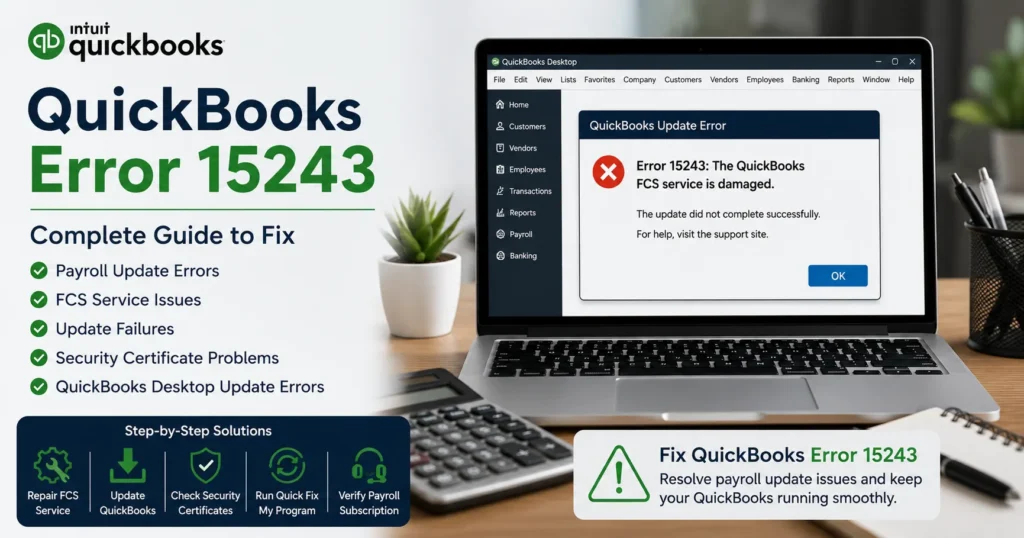
“Error 15243: The QuickBooks FCS service is damaged.”
or
“QuickBooks Payroll Update did not complete successfully.”
The issue indicates that QuickBooks cannot properly access or run the File Copy Service required for updates.
Understanding Intuit FCS Service
FCS stands for:
Intuit File Copy Service
This service handles:
- Payroll update downloads
- Update installation processes
- Data transfer functions
- Update verification procedures
When the service fails, payroll updates frequently stop with Error 15243.
Common Symptoms of QuickBooks Error 15243
Users may notice:
Payroll Updates Fail
Tax table updates cannot be downloaded.
QuickBooks Updates Stop
Software updates fail before completion.
Error Messages Appear Repeatedly
The error returns every time an update is attempted.
Payroll Functions Become Limited
Certain payroll features may stop working.
Update Process Freezes
Downloads begin but never complete.
Slow System Performance
Background service failures may impact QuickBooks responsiveness.
Main Causes of QuickBooks Error 15243
Understanding the root cause helps identify the proper solution.
1. Damaged Intuit FCS Service
The most common cause is corruption within the File Copy Service itself.
2. Disabled FCS Service
The service may have been accidentally disabled.
Without it, payroll updates cannot proceed.
3. Incomplete QuickBooks Installation
Corrupted program files can prevent update services from functioning correctly.
4. Antivirus or Security Software Interference
Security programs may block:
- Payroll downloads
- Update services
- Background processes
5. Windows Registry Issues
Damaged registry entries associated with QuickBooks can trigger Error 15243.
6. Expired Digital Signatures
QuickBooks update files require valid security certificates.
If certificates become invalid, updates may fail.
7. Payroll Subscription Problems
An inactive or improperly verified payroll subscription can also contribute to update errors.
How Error 15243 Affects Businesses
When payroll updates stop functioning, businesses may face:
- Incorrect tax calculations
- Compliance risks
- Payroll processing delays
- Employee payment issues
- Reporting inaccuracies
- Regulatory penalties
Prompt resolution is therefore essential.
Solution 1: Restart QuickBooks File Copy Service
Since Error 15243 is commonly linked to the FCS service, start here.
Steps
Press:
Windows + R
Type:
services.msc
Locate:
Intuit File Copy Service
Right-click and select:
Restart
Attempt the payroll update again.
Solution 2: Verify FCS Service Status
Ensure the service is enabled.
Steps
- Open Services.
- Locate Intuit File Copy Service.
- Double-click the service.
- Confirm:
Startup Type = Automatic
- Confirm:
Service Status = Running
If stopped, start the service manually.
Solution 3: Repair QuickBooks Desktop
Corrupted installation files frequently trigger Error 15243.
Steps
- Open Control Panel.
- Select Programs and Features.
- Locate QuickBooks.
- Click:
Uninstall/Change
- Select:
Repair
- Complete the repair wizard.
Restart the computer afterward.
Solution 4: Install QuickBooks Updates Manually
A manual update may bypass damaged update components.
Steps
- Open QuickBooks.
- Select Help.
- Click:
Update QuickBooks Desktop
- Choose:
Reset Update
- Select:
Get Updates
Restart QuickBooks after downloading.
Solution 5: Verify Payroll Subscription
An inactive payroll subscription can interfere with updates.
Steps
- Open QuickBooks.
- Select Employees.
- Click:
My Payroll Service
- Select:
Account/Billing Information
Verify:
- Subscription status
- License information
- Service key
Solution 6: Run Quick Fix My Program
QuickBooks Tool Hub includes automated repair utilities.
Steps
- Download QuickBooks Tool Hub.
- Open Tool Hub.
- Select:
Program Problems
- Run:
Quick Fix My Program
- Reopen QuickBooks.
Solution 7: Use QuickBooks Install Diagnostic Tool
Installation corruption often causes Error 15243.
Steps
- Open Tool Hub.
- Select Installation Issues.
- Run:
QuickBooks Install Diagnostic Tool
Allow the scan to finish.
Restart the system.
Solution 8: Repair Digital Signature Certificates
Payroll updates require valid certificates.
Steps
Locate:
QBW32.exe
Right-click and select:
Properties
Choose:
Digital Signatures
Verify:
Intuit Inc.
appears as a valid signer.
If certificates are damaged, reinstall QuickBooks.
Solution 9: Configure Antivirus Exceptions
Security software may block payroll updates.
Add exclusions for:
QBW32.exe
QBUpdate.exe
IntuitSyncManager.exe
Also whitelist QuickBooks program folders.
Solution 10: Perform a Clean Install of QuickBooks
If corruption is severe, reinstall QuickBooks completely.
Process
- Uninstall QuickBooks.
- Rename installation folders.
- Reinstall QuickBooks.
- Apply updates.
- Verify payroll services.
A clean installation resolves many persistent update issues.
Advanced Troubleshooting for Error 15243
Check Windows Event Viewer
Review logs for:
- Service failures
- Application crashes
- Update interruptions
Verify Windows Updates
Outdated Windows components may interfere with QuickBooks.
Install:
- Security updates
- .NET Framework updates
- System patches
Run System File Checker
Open Command Prompt as Administrator:
sfc /scannow
This repairs damaged Windows system files.
Check User Permissions
Ensure the QuickBooks user account has:
- Administrator privileges
- Full folder access
- Update permissions
Verify Internet Settings
Payroll updates require secure internet communication.
Review:
- Proxy settings
- SSL configuration
- Browser security options
Preventing QuickBooks Error 15243
Preventive maintenance greatly reduces update-related problems.
Keep QuickBooks Updated
Regular updates prevent compatibility issues.
Maintain Payroll Subscription
Monitor:
- Subscription status
- Renewal dates
- Service keys
Use Reliable Antivirus Configuration
Avoid blocking QuickBooks processes unnecessarily.
Schedule System Maintenance
Regularly:
- Remove temporary files
- Scan for malware
- Optimize performance
Monitor FCS Service
Periodically confirm:
Intuit File Copy Service
is running properly.
Best Practices for Payroll Updates
Update During Off-Hours
Minimize interruptions.
Create Backups
Always back up company files before updates.
Verify Payroll Tax Tables
Ensure successful downloads.
Maintain Administrative Access
Install updates using Administrator privileges.
Frequently Asked Questions
What causes QuickBooks Error 15243?
The error is usually caused by a damaged or disabled Intuit File Copy Service (FCS), installation corruption, payroll subscription issues, or security software interference.
Can I fix Error 15243 without reinstalling QuickBooks?
Yes. Many cases are resolved by repairing the FCS service, using Tool Hub utilities, or repairing QuickBooks installation files.
What is Intuit FCS Service?
The Intuit File Copy Service is a background component that assists with payroll updates and QuickBooks update installation.
Does Error 15243 affect payroll processing?
Yes. Failed payroll updates can prevent access to the latest tax tables and payroll compliance updates.
Is QuickBooks Tool Hub useful for Error 15243?
Yes. Quick Fix My Program and Install Diagnostic Tool frequently resolve the issue automatically.
Conclusion
QuickBooks Error 15243 is primarily a payroll update error linked to problems with the Intuit File Copy Service (FCS), installation corruption, security restrictions, or payroll subscription verification. Although the error can interrupt payroll processing and software updates, it is usually fixable through systematic troubleshooting.
By repairing QuickBooks, restarting the FCS service, verifying payroll subscriptions, using QuickBooks Tool Hub utilities, updating security certificates, and maintaining proper system configuration, most businesses can quickly restore payroll update functionality.
Regular maintenance, proactive monitoring of QuickBooks services, and timely software updates can help prevent Error 15243 from recurring and ensure smooth payroll operations throughout the year.